For the last few months, I’ve been trying and testing the best course creation platforms. And Kajabi is a popular all-in-one platform for building, managing, and selling digital products.
So, recently I signed up for the Kajabi Free trial to test this tool myself and see how it actually works, what its pros are, and where it falls short.
This Kajabi review does not list features that are already available on its official website. But I will share my knowledge, opinions, and real-world testing experience with Kajabi.
So, if you’re also exploring Kajabi and wondering if it is worth it for you. Then, let’s dive in!
What is Kajabi?
Kajabi is a premium and all-in-one platform built for course creators, coaches, and educators. It allows you to create, sell, and market digital products using a single platform.

To run a successful digital product business, you need:
- CMS platform to build a website. Example, WordPress
- Email marketing tool to run email campaigns. Example: Mailchimp & MailerLite.
- CRM platform for storing and managing contact data.
- Page builder to build landing pages and sales funnels. Example, Elementor
- Checkout platform to sell your digital products online.
- Hosting provider to host your website online
- Tools to create digital products such as courses, podcasts, or digital downloads.
And Kajabi says it’s an all-in-one platform and has all the features you need to create, market, and sell your digital products. That sounds good in theory.
But the question is: can it replace all tools? So, let’s dive in to explore how well this tool works in the real world.
My Quick Overview
Kajabi is the best if you’re looking for a single tool to create, market, and sell your digital product business with one subscription. But if you just need a platform for course or digital product creation and you’re already paying for website hosting and don’t need Kajabi’s built-in marketing and sales features, then Kajabi can be expensive. And in that case, you can go for more affordable course creation platforms such as Teachable.
Pros
Cons
Kajabi User Experience and Ease of Use Review
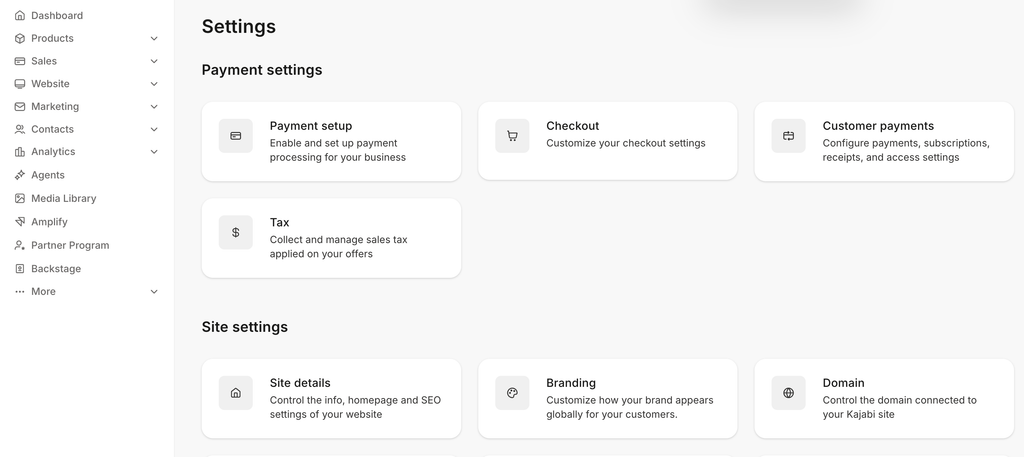
The Kajabi dashboard is pretty simple and easy to navigate. Everything is properly organized in the left navigation bar.
For example, all the products, such as courses, coaching, community, and others, are organized under the product drop-down. Similarly, you can find all marketing features under the marketing drop-down. This makes it very easy for you to find different features inside Kajabi.
The thing I liked most about Kajabi is that all the customization settings are centralized in one place. That makes it super easy for you to customize settings.
Apart from that, Kajabi comes with setup wizards for creating your digital products. For example, if you’re creating a course, you will get a dedicated course setup wizard to set up your course easily, even if you’re a beginner.
Overall, Kajabi is super easy and has a beginner-friendly dashboard. But Kajabi also comes with advanced features like workflow automation that definitely involve a learning curve.
Kajabi Core Features Review
1) Digital Product Creation
The most important thing you need to understand is which and how many digital products you can create. So, with Kajabi, you can create 6 types of digital products to build your knowledge business.
You can create online courses, coaching sessions, community spaces, digital downloads, and even podcasts and newsletters.
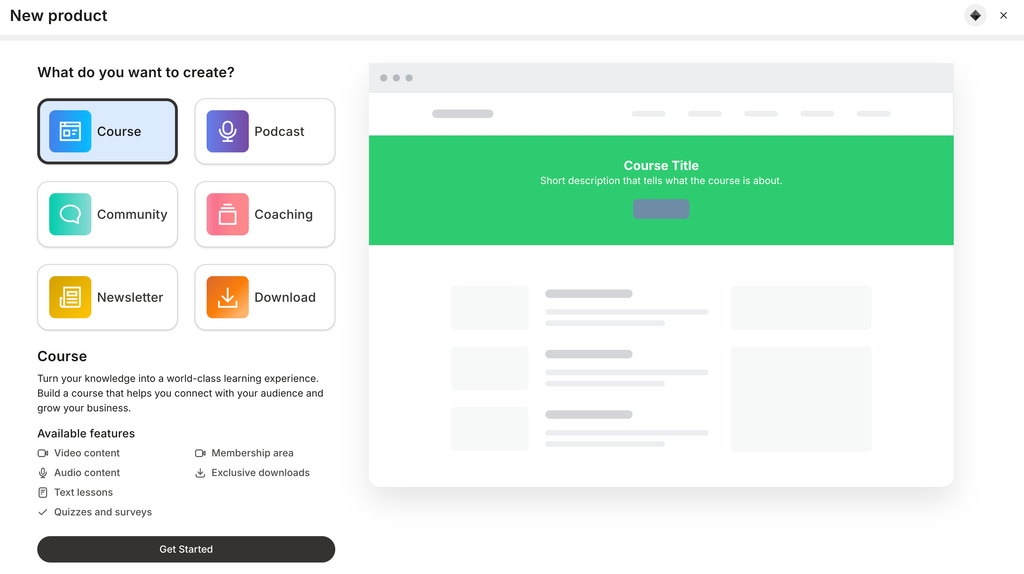
With the Kajabi basic plan, you can create up to 5 digital products. Every course, coaching, podcast, newsletter, and community is counted as a product.
Downloads are also considered a product. But the good thing is you can create as many digital downloads as you want, even with the basic plan. Because no matter how many digital downloads you create, they are just counted as 1 product in Kajabi.
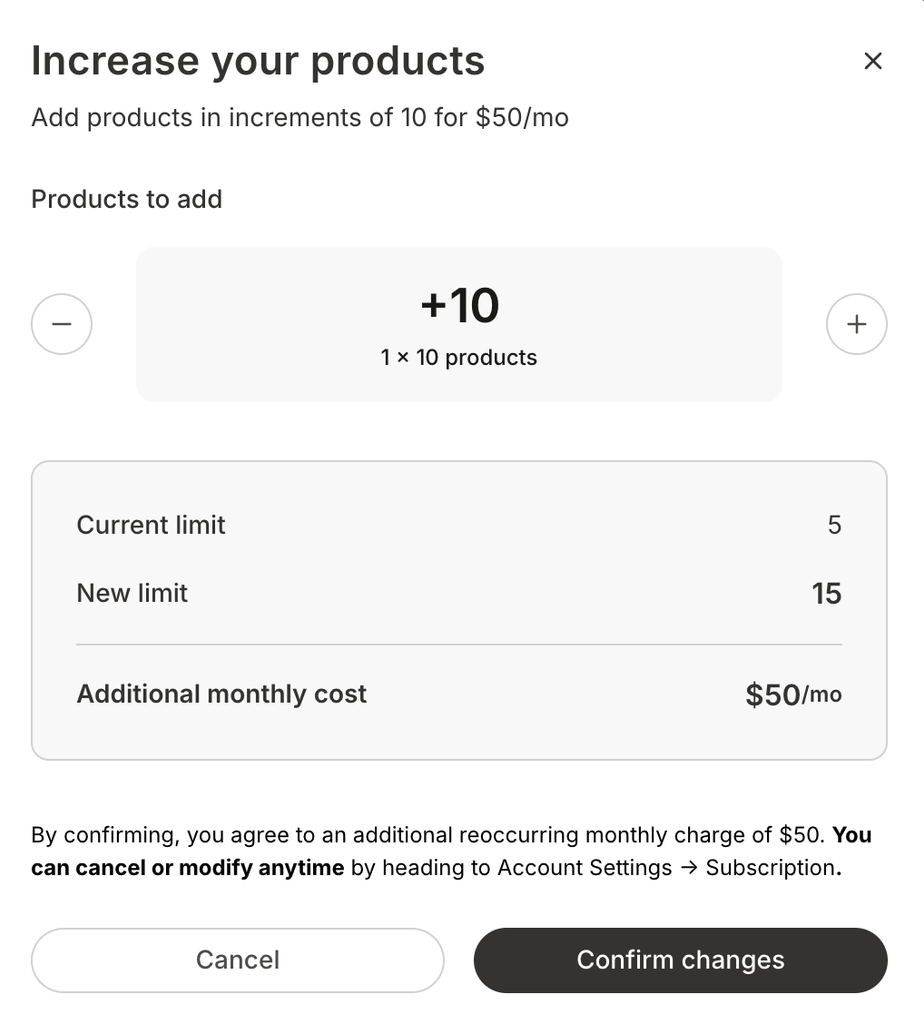
If you hit the limit on your Kajabi account and you want to create more products. Then you can either upgrade to a higher plan or increase the product limit. You can only increase product limits in multiples of 10. For example, increasing the limit to 10 more products will cost an additional $50/month.
Courses
Kajabi comes with almost all the course creation features you need to set up your courses.
Types of Courses and Pricing
You can create evergreen and cohort-based courses. But the cohort-based course creation feature is only available in Growth or higher plans.
Evergreen courses allow your students to start and complete courses at their own convenience. With cohort-based courses, you can also enable group learning, schedule live sessions, and integrate your calendar.
Setup Wizard
There is a course setup wizard that helps you create your courses easily and also shows a visual preview for reference.
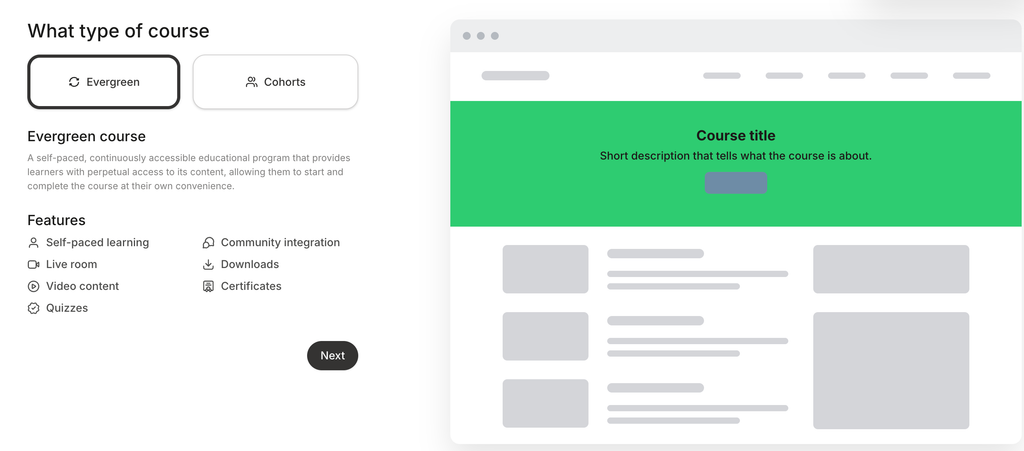
While setting up your course, you can also enable the AI feature to draft your course assets, such as a course outline and landing pages. You can also choose your brand colors to customize the look and feel of your course pages.
Paywall Feature
With Kajabi, you can also provide limited access to your course lessons. You might have seen on Udemy or Skillshare that you can watch 1-2 course lessons for Free before actually paying for the course. In the same way, you can do that in Kajabi using the Paywall Feature.
Build Your Course Outline
You can either manually create a course outline or use AI to draft it. But you must enable the AI features while setting up the course.
Kajabi allows you to organize your course curriculum in modules, sub-modules, and lessons. Rearranging your course outline is also super easy; you just have to drag and drop modules, units, or lessons.
Course Lesson Builder
Kajabi comes with a simple and easy-to-use lesson builder. You can add titles, thumbnails, and include video and audio as the main learning media.
You will also get a text editor to add and format course lesson content. For every course lesson, you can enable or disable comments.
The best thing is, you can also attach downloadable files to lessons to share work files, templates, or checklists with your students.
The unique thing is that there is also an automation feature in the lesson builder. And we will cover this later in this guide.
Quiz Builder
Kajabi Quiz Builder is simple, easy to use, and even available in the base plan. You can create either a graded or a non-graded quiz. You can prevent students from completing the quiz lesson without passing the grade.
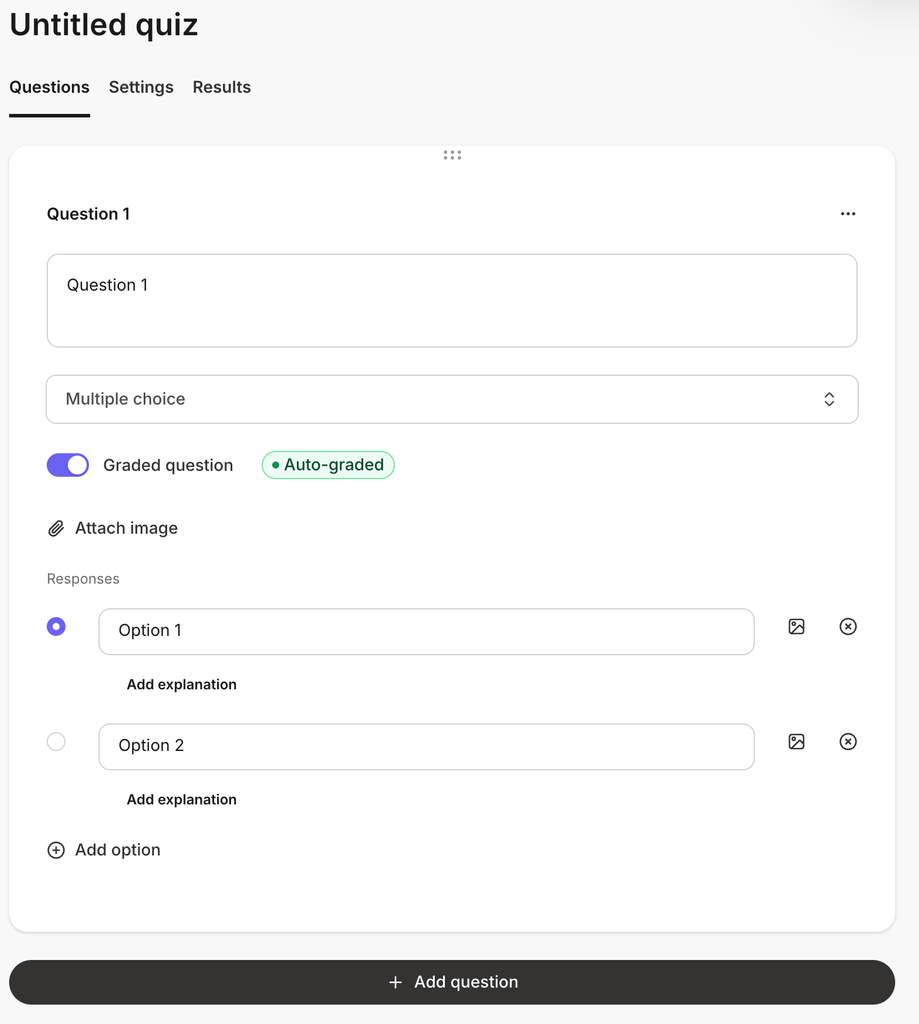
You can add multiple-choice, checkbox, short-answer, and file upload questions. You can also include images to make your quizzes more interactive.
One thing that I really liked here is that you can even add an explanation to answers. This helps explain why the answer is correct or incorrect.
You can also send automated notification emails to your students or team when a quiz is completed.
Coaching Programs
Kajabi does not allow you to create courses, but you can also build, market, and sell coaching programs.
Coaching Program Types
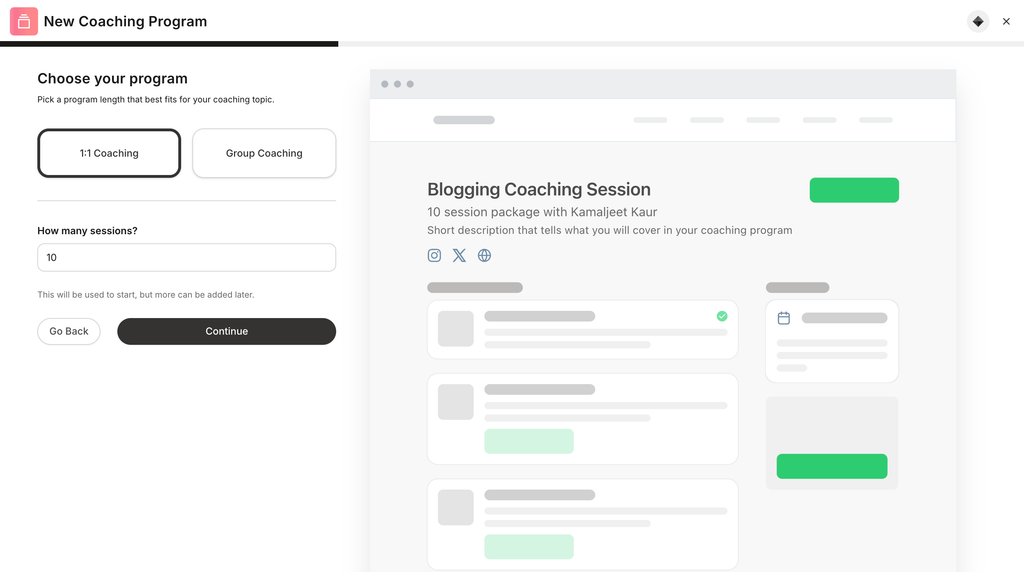
Whether you want to set up 1:1 or group coaching sessions, you can do that with Kajabi. You can choose a coaching duration. Within a coaching program, you can set up multiple coaching sessions. You can offer a free or paid coaching program, based on your business goals.
Customize and Personalize
For each coaching session, you can add a title, description, session agenda, and relevant resource files or links for your clients or students.
With Kajabi, you can build a customized and personalized coaching sales page. You can also add the coach’s profile to add authority to your coaching sales page.
Kajabi comes with pre-made templates to build your coaching sales page. The good thing is you can even customize the look and feel of a pre-made template using the Kajabi page builder.
Scheduling & Availability
For coaching programs, the most important thing is how your clients will automatically schedule coaching sessions. For automated scheduling, you can use the built-in Kajabi scheduler. Apart from this, you can also connect Calendly, Google Calendar, or use manual scheduling.
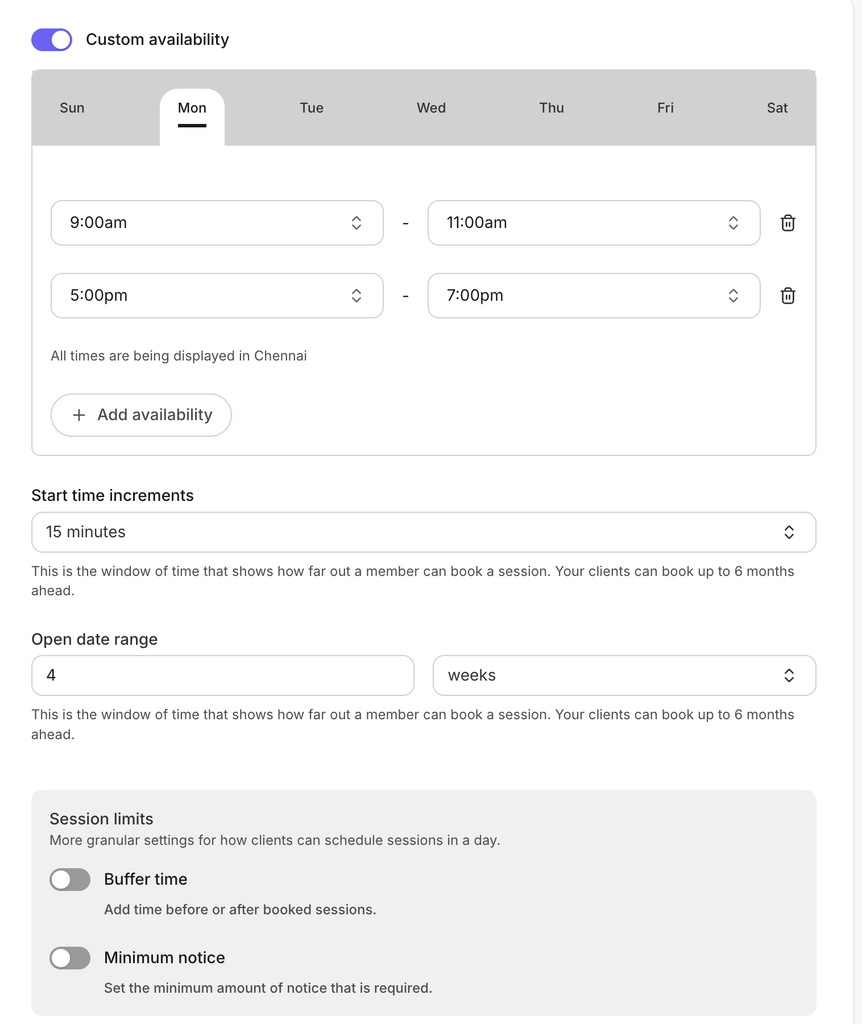
You can also set your availability hours and choose days and hours when you’re available to take coaching sessions. This ensures your clients will book coaching sessions only in your availability slots.
This is really helpful. For example, if I’m offering coaching sessions for only 2 hours in the morning and 2 hours in the evening. Then I can set those time slots as available in Kajabi, and clients will only see those available slots. And this is how you can easily manage your time and reduce the headache of manual scheduling.
Record and Share Your Coaching Sessions
Do you also want to share a recording of your coaching session with your clients? Then, you don’t need to do it manually or use other recording software.
It comes with a built-in feature that automatically uploads a recording to the session recording section once a coaching session is completed. And you don’t need to worry about sending manual recordings. You can also send automated notifications to inform coaching members.
Podcasts
Podcasts are the newest and most in-demand digital content. Most content creators are now running their own podcasts to reach their audience with audio-based episodes.
Host, Build, and Distribute
Basically, if you want to run your own Podcast, you need a podcast hosting provider. There are many podcast hosting service providers.
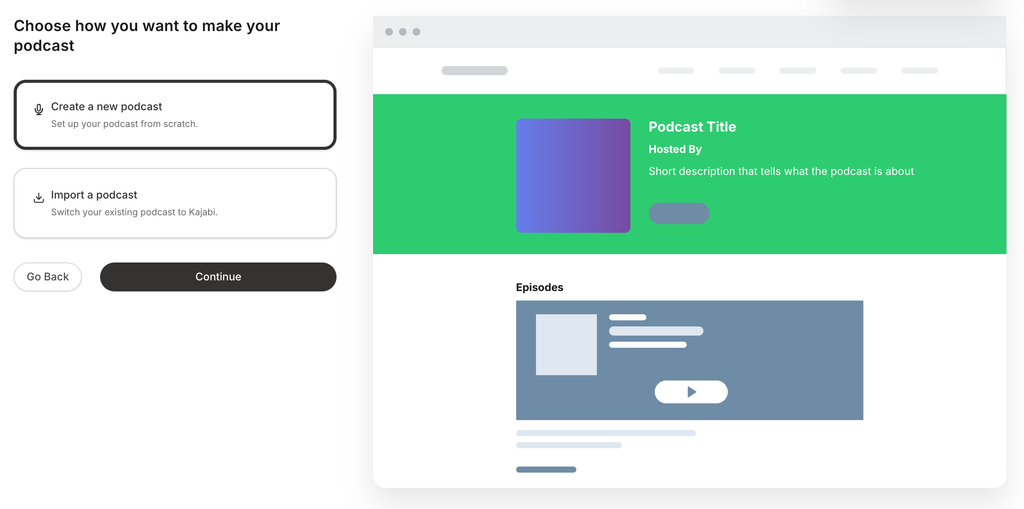
But with Kajabi, you don’t need a separate platform. It comes with features for creating, hosting, and publishing your podcast episodes. You can also distribute your podcast episodes to all major listening apps.
If you already have a podcast, you can also import it to Kajabi.
Dedicated Podcast Home Page
With Kajabi, you can build a dedicated podcast homepage to host all your podcast episodes. This way, your audience can easily find all your podcast episodes.
Monetize Your Podcast
With Kajabi, you can also monetize your podcast and set pricing. You can also set your podcast as public, and anyone can access it for free on their favorite listening apps.
Podcast Episode Builder
Within a podcast, you can create your podcast episodes. You can give a custom name, add a description, and choose the episode type. Apart from episodes, you can also create trailers and bonus episodes for your podcast, which is great for marketing.
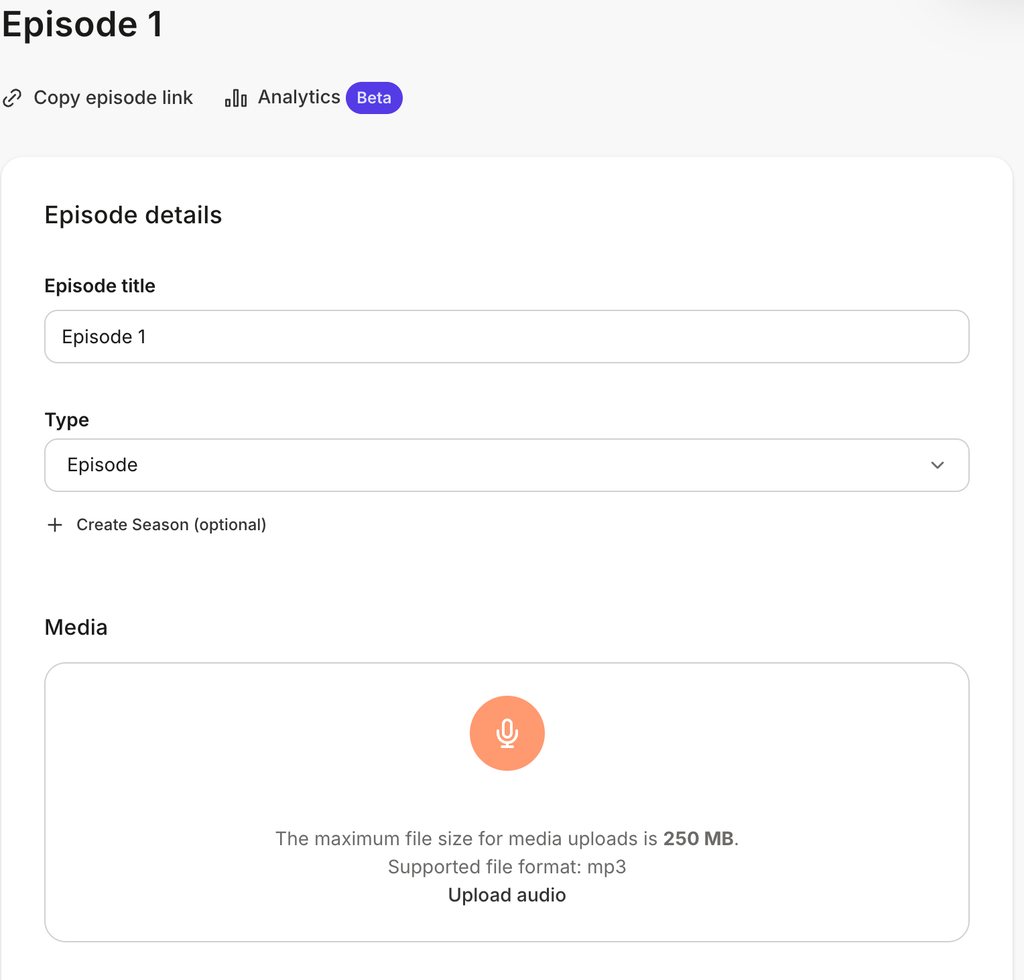
You can upload MP3 audio files. Max file size is 250MB per episode. Along with the podcast audio, you can even add a transcript for your audience.
You can also schedule your podcast episodes, and your audience can download them.
Built-in Podcast Analytics
Within your Kajabi account, you can view analytics for your podcast. You can analyze data at the podcast or specific episode level. The analytics will help you find out what is performing and what’s not.
For example, you can see which apps and devices your audience is using to listen to your episodes. If you’re a marketer, you know the value of knowing this data. Because this data is not just numbers; it can help you make better marketing decisions and build a solid marketing plan.
Community
Community is a space where you and your students can easily engage with each other. Nowadays, community spaces are not just used as an engagement platform. But many course creators are building premium communities and monetizing them.
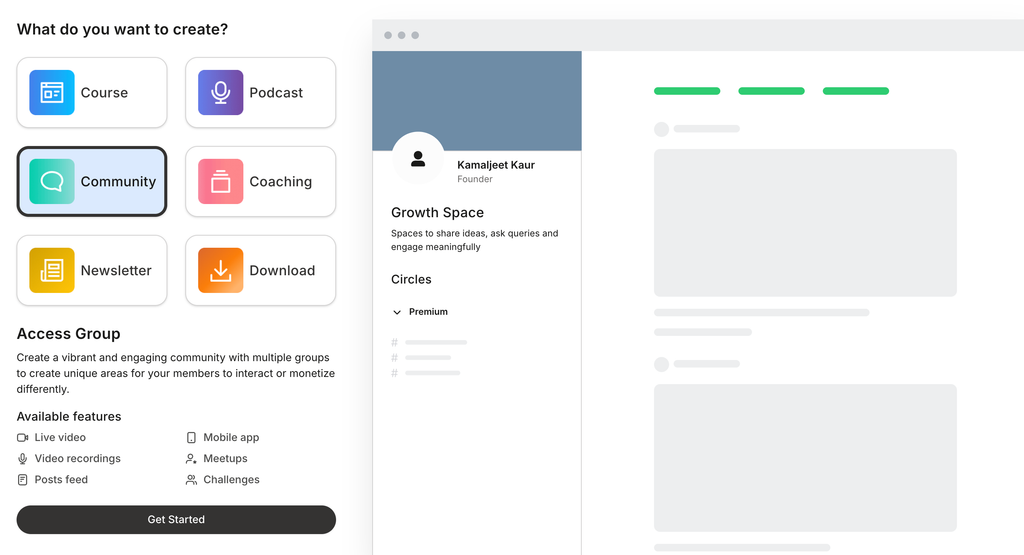
So, whether you’re just creating a community where your students can freely engage or building a premium community for monetization, Kajabi allows you to do both.
Community Access Groups
Within a community, you can create multiple access groups. And for each access group, you can choose whether it is Free or Paid. For a paid access group, you can set its price and payment options.
Customize Your Community
Kajabi allows you to customize your community details such as title, description, and community cover image. It offers various customization settings to change the look and feel of your community. You can choose your brand colors and a light or dark mode.
Community Features
Kajabi allows you to enable or disable your community features such as feed, challenges, meetups, and live rooms. You can include social links and community guidelines. You can also create one-time or recurring live rooms to engage with your community members.
Create Multiple Community Channels
Within a community, you can create multiple channels. For example, if you’re offering multiple courses, you can create a dedicated channel for each course. It helps similar-minded audiences easily engage with each other.
Gamification and Rewards
The Kajabi community also supports a gamification feature to reward your members. You can give points to members for completing tasks, or titles & badges to celebrate members’ achievements.
Analytics & Reporting
Kajabi also comes with a community dashboard, where you can see your community analytics data such as:
- No. of active users
- No. of challenges joined
- No. of new members
- Total number of messages sent
Newsletter
Newsletter allows you to engage directly with your audience. With Kajabi, you can easily set up, manage, and run your email newsletters without another email marketing tool. If you’re thinking of creating a paid newsletter, you can do that in Kajabi.
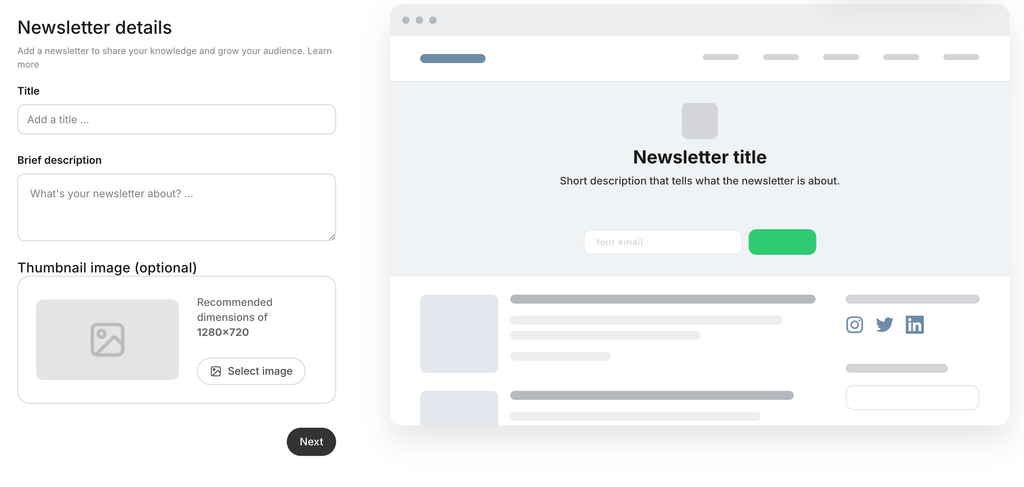
Visual Editor
Kajabi comes with a simple and easy-to-use visual editor to draft posts for your newsletter. You can add headings, bullet lists, images, videos, buttons, and other elements to design your newsletter.
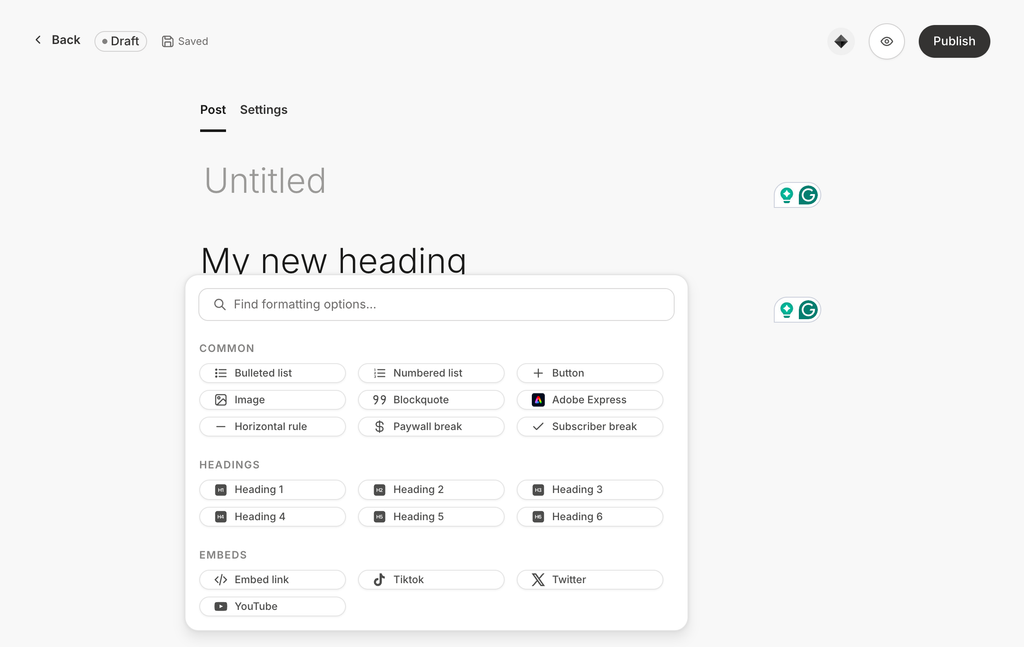
Email Features
Kajabi allows you to choose an audience segment. For example, you can either send it to all subscribers, a particular audience segment, or free or paid subscribers.
Analytics
Within your newsletter dashboard, you will get dedicated analytics to track subscribers, open rate, and click rate. You can also see how many new subscribers you got, unsubscribes, and the bounce rate.
Digital Downloads
Are you also offering templates, checklists, guides, worksheets, or any other digital downloads? Then, with Kajabi, you don’t need to look for another tool. With Kajabi, you can create and sell unlimited digital downloads.
Unlimited Digital Downloads
You might be wondering because Kajabi has a limit on how many products you can create with each plan. But how can you create unlimited digital downloads even if you’re on the starter plan?
Because no matter how many digital downloads you create, Kajabi counts all of them as a 1 single product. I really liked this because it allows you to create multiple digital downloads to capture leads and build an email contact list.
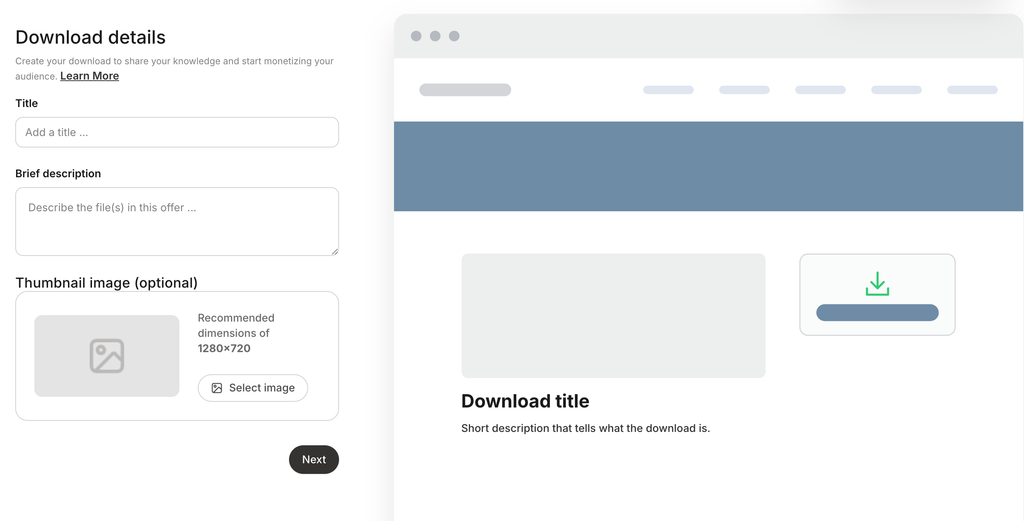
You can either offer digital downloads as a paid product to generate revenue, or give them for free as a lead magnet to build your email list.
You can upload multiple digital files, and 1GB is the maximum file size for digital downloads.
2) Website Features Review
A website is the digital home of your business. Kajabi is a premium unified tool for creating, hosting, marketing, and selling your digital products. So, it also comes with a website builder to build and design your website.
Pre-made Theme Templates
The first thing you need to design your website is a theme. With Kajabi, you will get free pre-made theme templates for your website. If you want, you can also buy a premium pre-made template for your Kajabi website.
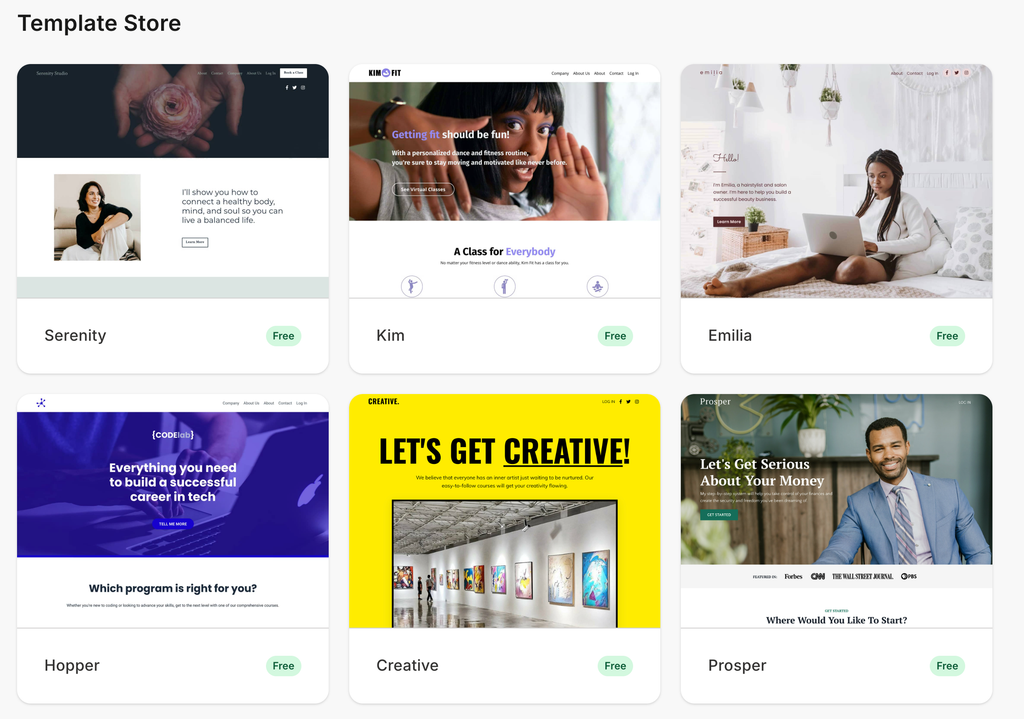
Choosing a pre-made template can save a lot of time because you don’t need to design things from scratch, and you can also customize them.
Website Builder
Kajabi comes with a drag-and-drop builder that is so simple and easy to use. If you already have experience using a visual page builder like Elementor or Divi, then the Kajabi builder will be very easy for you.
Kajabi also comes with pre-made content blocks to build professional-looking landing pages, similar to website builders such as Elementor or Divi.
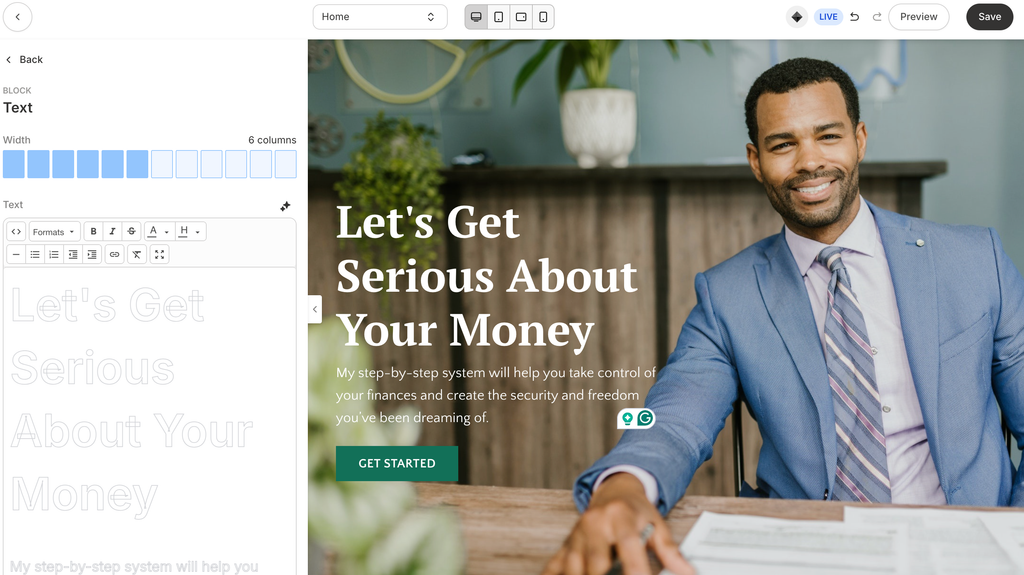
The thing I really liked about the website builder is that you will get dedicated blocks for building your course landing pages, such as feature lists, pricing cards, offers, course outline, countdown, and many other content elements, as shown in the screenshot.
For most creators, these content blocks are more than enough. But if you need more widgets, you can also purchase premium widgets.
For example, if I want to show a countdown on my page, I can select the countdown block. One thing that I noticed is that you can’t actually drag and drop the blocks. You have to click the element block to add it to your page, and then drag and drop it from the left navigation settings. So, it took me some time to figure this out.
To customize any existing content on your page, just select the content block and customize its settings. You can also see live changes visually. So, this makes it super easy for even beginners to customize the website pages in the Kajabi builder.
Kajabi website builder also allows you to preview your pages on different devices such as Desktop, iPad, and iPhone. And if anything is not looking good, you can customize it to ensure your website looks professional on all devices.
Global Settings
Just like the WordPress customizer, Kajabi also comes with a style guide feature. With this style guide, you can set your brand colors for backgrounds, buttons, and fonts.
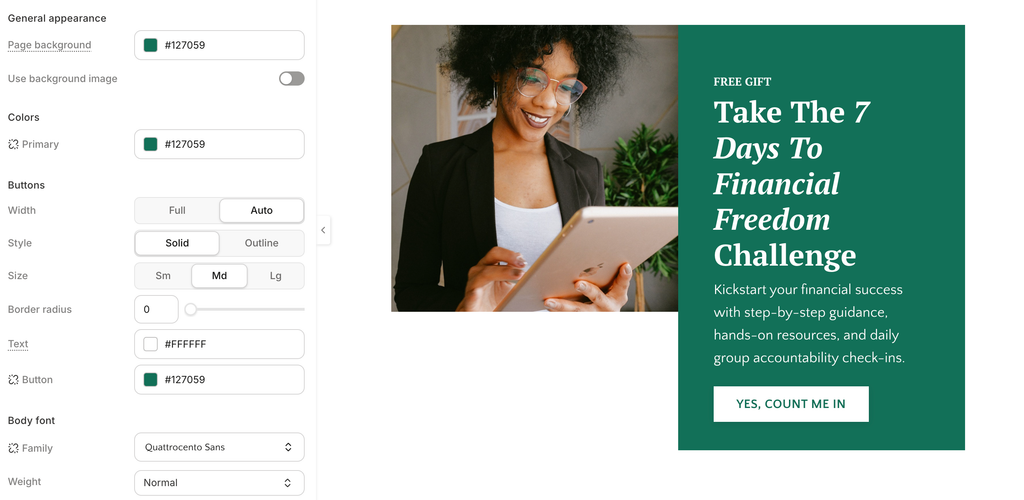
Once you set this style guide, you don’t need to customize your brand font or colors on every page. This style guide will be applied to all your website pages. This can save a lot of time.
Kajabi also allows you to set font sizes for both desktop and mobile screens. This is good for making your website mobile-friendly.
Website Pages
When you create a website, you need to build some static pages, such as Home, About, Blog, or Contact Us.
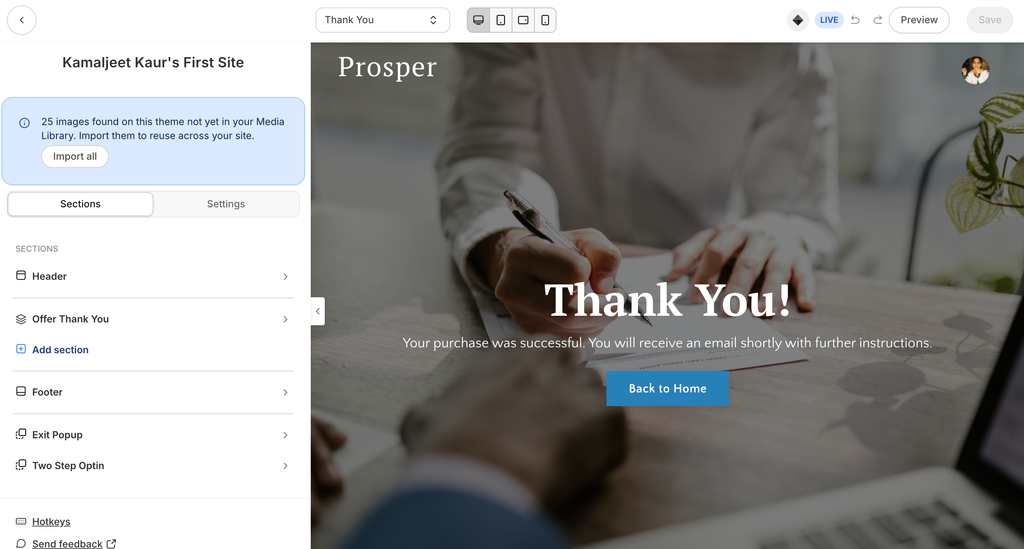
When you install a pre-made website template in Kajabi, it automatically creates some static pages for you. For example, I installed one of their pre-made templates, which comes with 16 pre-made website pages. That means I don’t need to create the static website pages from scratch, which can save a lot of time. Further, you can customize all of these pages using Kajabi’s built-in website builder.
For example, this is how my pre-made thank-you page looks. And I can customize it using Kajabi’s website builder.
Landing Pages
For every digital product, you need to create a dedicated landing page. You can create landing pages from scratch or use pre-made templates.
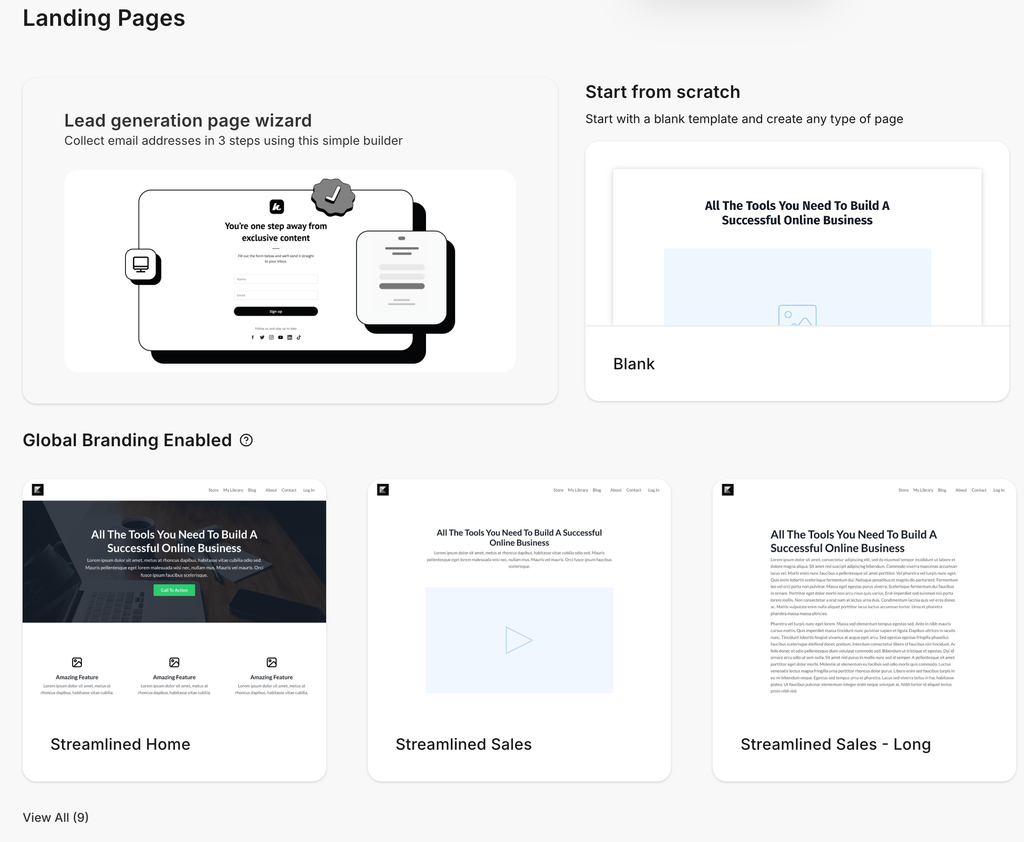
If you want AI to design your landing page, enable it while setting up your course. While setting up a WordPress course, I enabled the AI feature to test it, and below is how it created it.
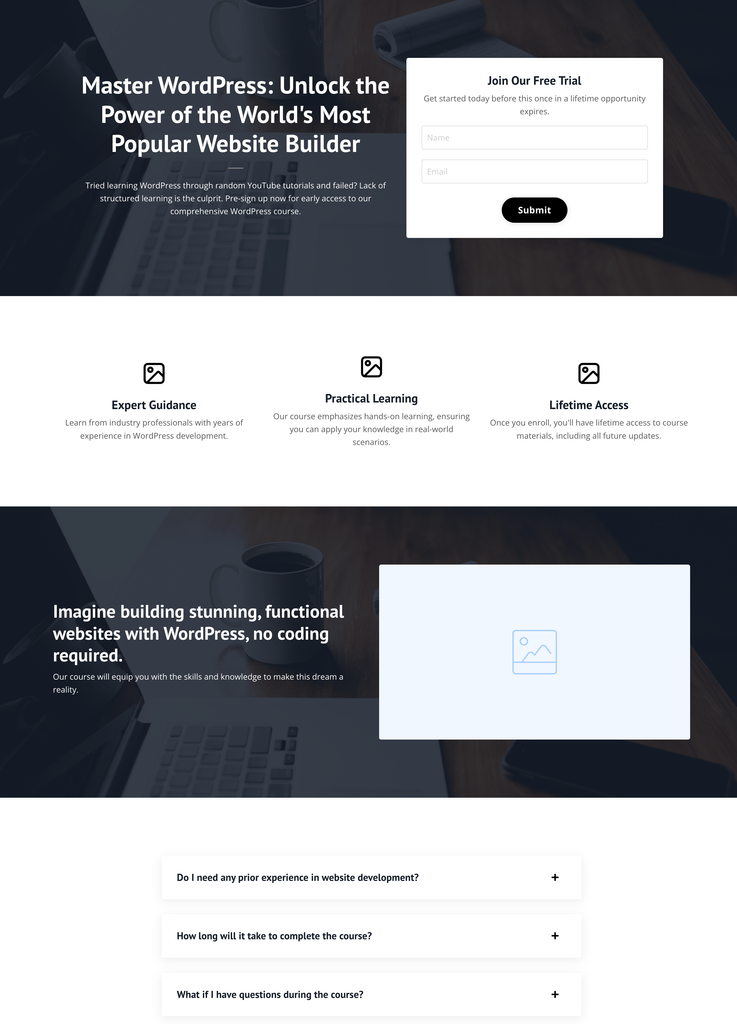
I think it’s good to save some time, and you can further edit and customize its design to make it look professional.
You can also add a title, meta description, and url slugs to optimize your landing pages for SEO. For each landing page, you will get a dedicated report to analyze performance. You can see total views, number of opt-ins, and conversion rate.
A/B Testing
Kajabi allows you to A/B test two landing pages to compare their performance. And this feature is not commonly available in course platforms.
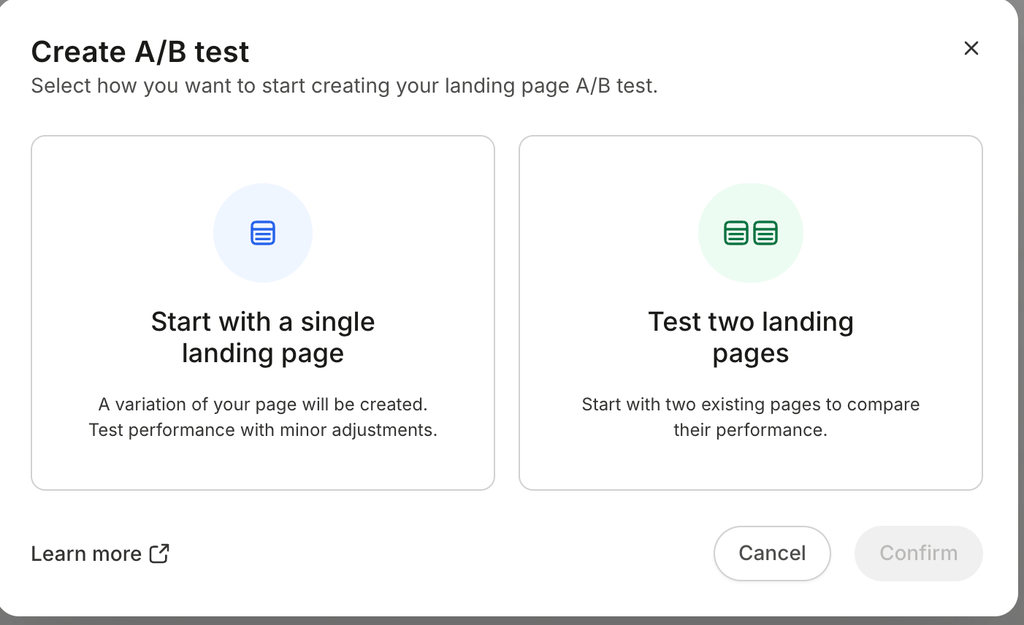
If you don’t have two landing pages, you can also start with a single landing page, and Kajabi will automatically create a duplicate page to test performance.
You can choose a winning metric such as clicks or conversions and set how long you want to run the A/B test. After that, Kajabi will provide you with the A/B testing performance report.
Navigation Menus
Navigation menus help you include the top landing pages or products in the main navigation area.
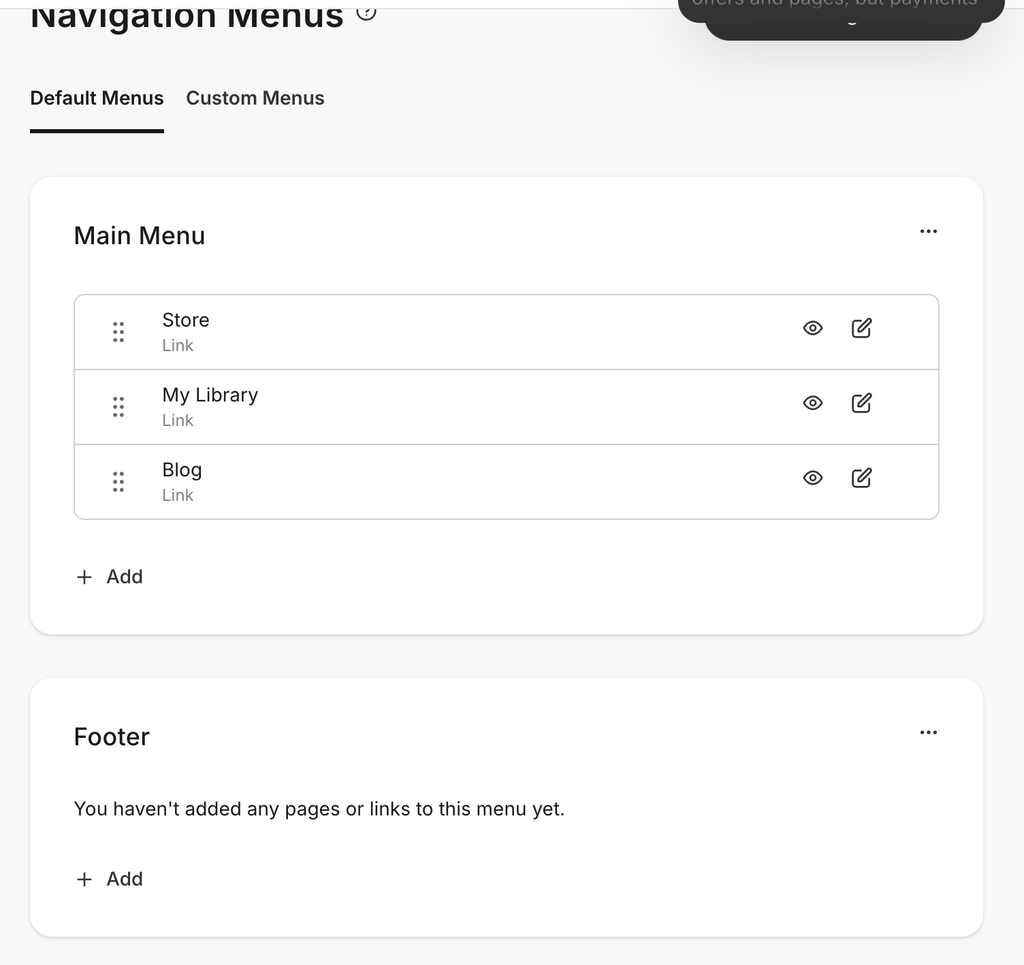
With Kajabi, you will get full flexibility to customize your navigation menus across your website. By default, Kajabi comes with a main menu, footer, member menu, about, and contact menu, which you can customize. You can add products, pages, or any other custom links to your menus.
Apart from that, you can also create a custom navigation menu as per your needs.
Blog
Mostly, course creation platforms only allow you to build landing pages; there is no blog option. But with Kajabi, you can also build a blog and create unlimited blog posts. You can include tags to organize your blog posts.
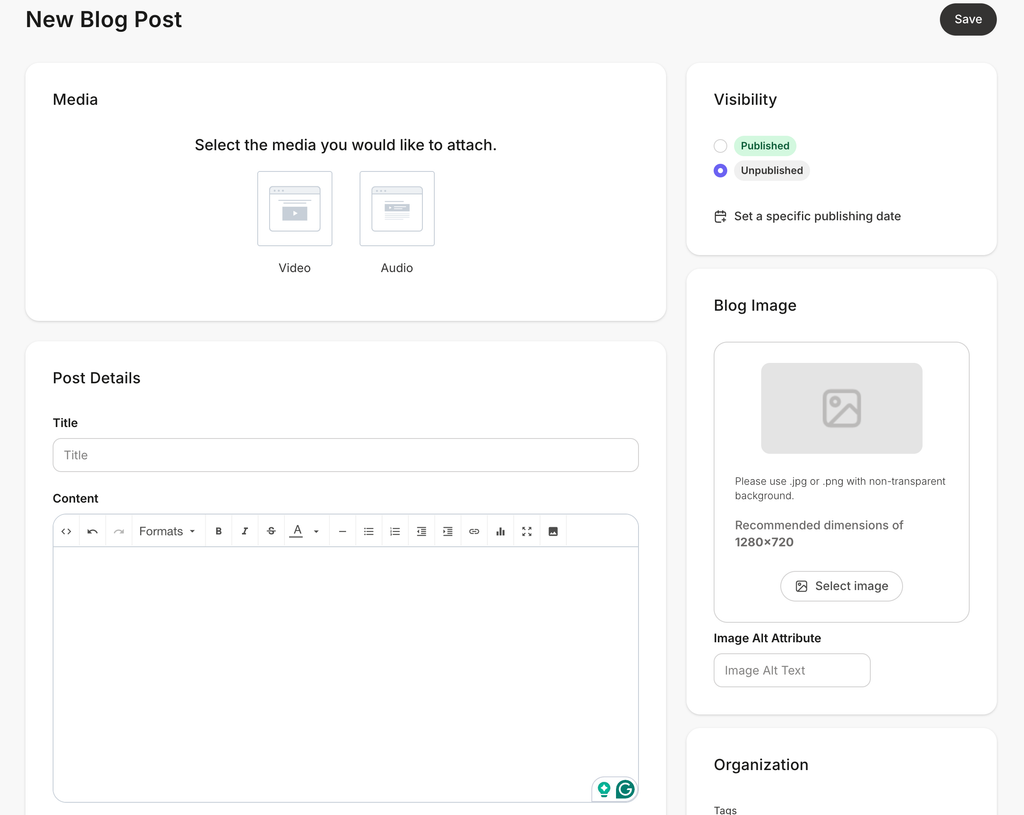
Kajabi comes with a blog editor where you can draft and format your blog posts. You can also include audio or video media in your blog posts. You will get basic SEO Optimization settings such as adding an SEO-optimized title, description, and thumbnail image.
Contact Management
The most important and useful feature to run a successful online business is contact management. With Kajabi, you don’t need to purchase another CRM software; it comes with a built-in contact manager.
There is a dedicated contact area where you can see and manage all your contacts, such as your students, customers, and leads. If you already have an existing contact list, you can also import that in Kajabi.
You can use automation workflows to save your customer and lead data automatically in Kajabi Contact Manager.
To manage your contacts, you can create tags in Kajabi. For example, if I’m selling two different courses, I can create specific tags for each course, such as wordpress course student and freelancing student, to organize and segment my audience.
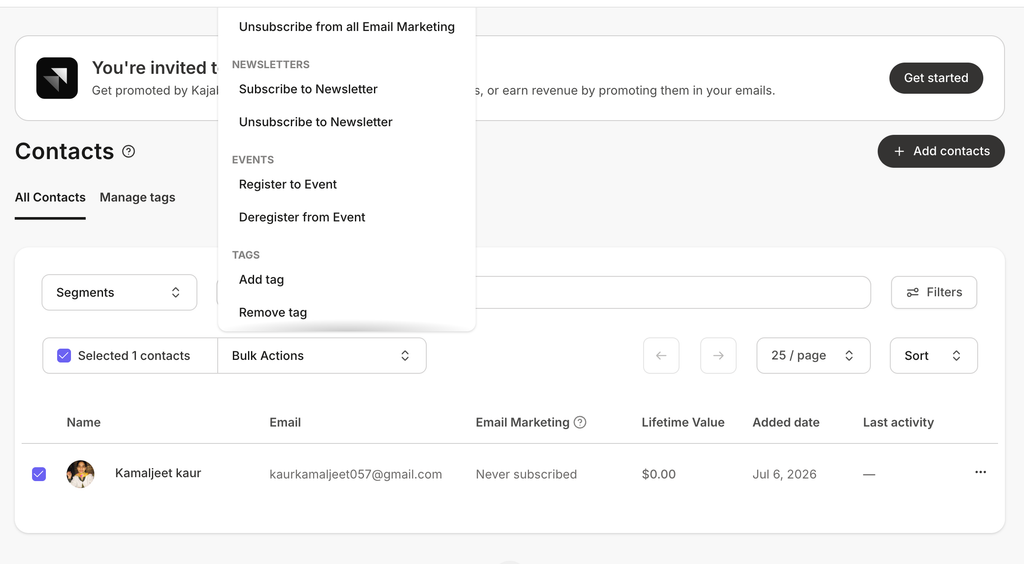
You will also get a bulk action feature. For example, you can select multiple contacts and add or remove a tag with a single mouse click, instead of doing it for each contact.
You will also get dedicated insight reports to analyze your total contacts, new contacts, customers, subscribers, and unsubscribes in a single dedicated place.
3) Marketing Features
Forms
Kajabi allows you to create forms to collect both leads and customer data. But there are no pre-made templates or a drag-and-drop builder to build your forms.
All Kajabi forms have a simple layout and design. You can only customize your form fields, but not the form design or layout.
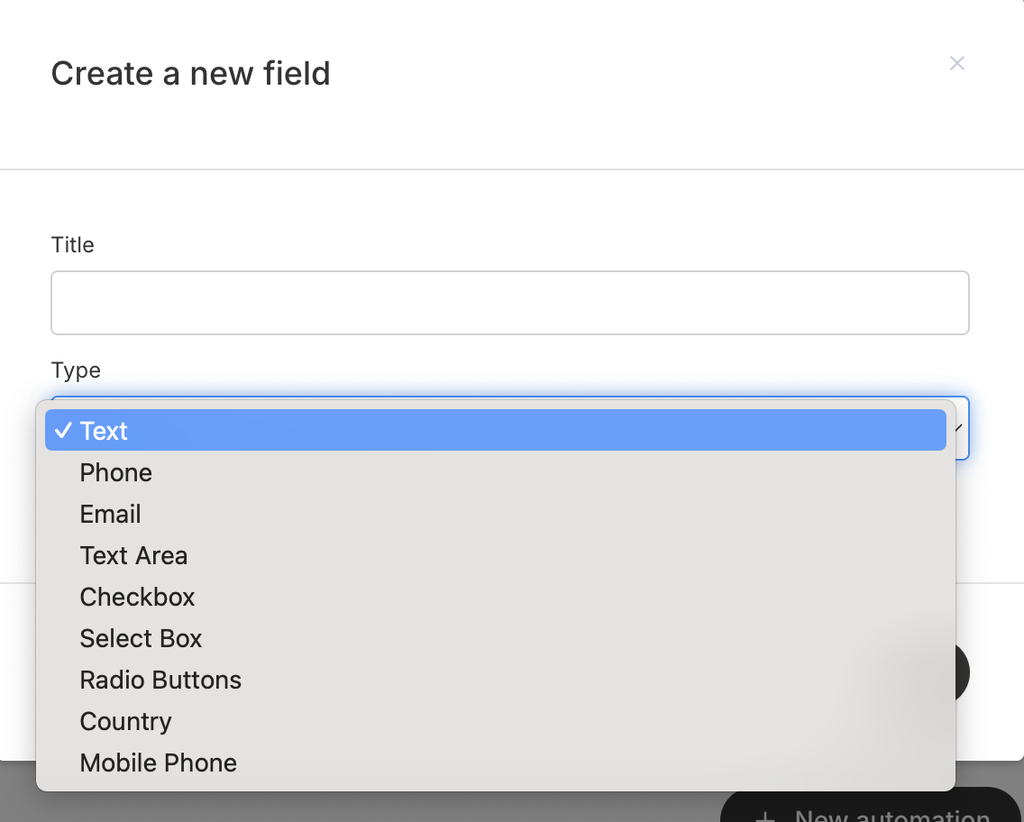
If you need, you can also create custom fields. It supports multiple form field types such as Text, checkboxes, and radio buttons.
You can also embed your forms across different pages. There is a dedicated form submission area where you can see and manage all form submissions.
The one thing I liked most about Kajabi Forms is that you can enable single or double opt-in settings.
For example, enabling double opt-in ensures your users will verify their email after submitting the form. This will improve deliverability and lead quality. You can also enable reCAPTCHA to protect your forms from bot submissions.
Email Campaign Types
Email Marketing directly educates, connects, and promotes your digital products. With Kajabi, you will also get email marketing features to build your email campaigns.
Kajabi automatically sends several emails and notifications when a particular action is completed. For example, when a student purchases your course, Kajabi will automatically send them the order purchase email. So, this saves a lot of time, and you can also customize these automated emails.
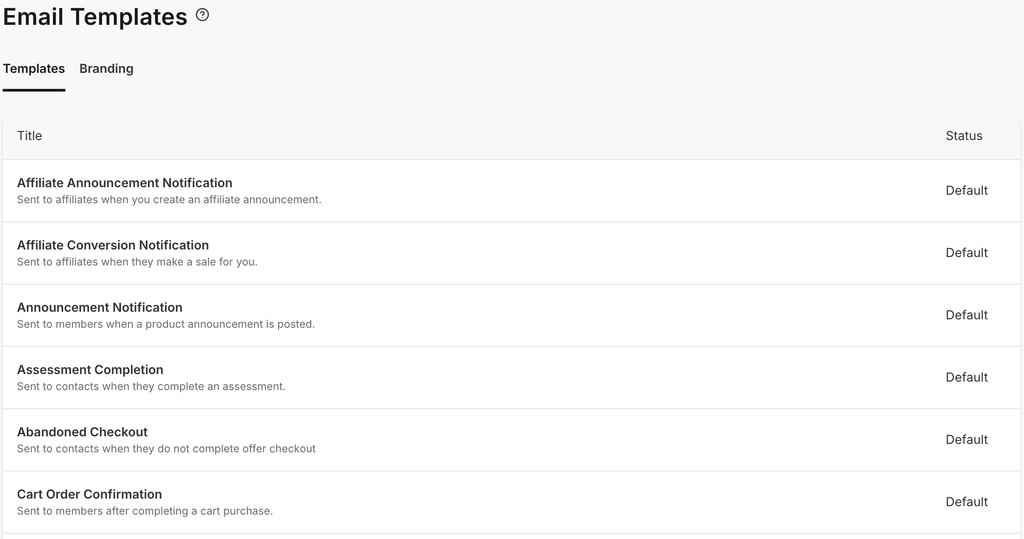
Apart from the automated email notifications, Kajabi allows you to create both email broadcast and sequence campaigns:
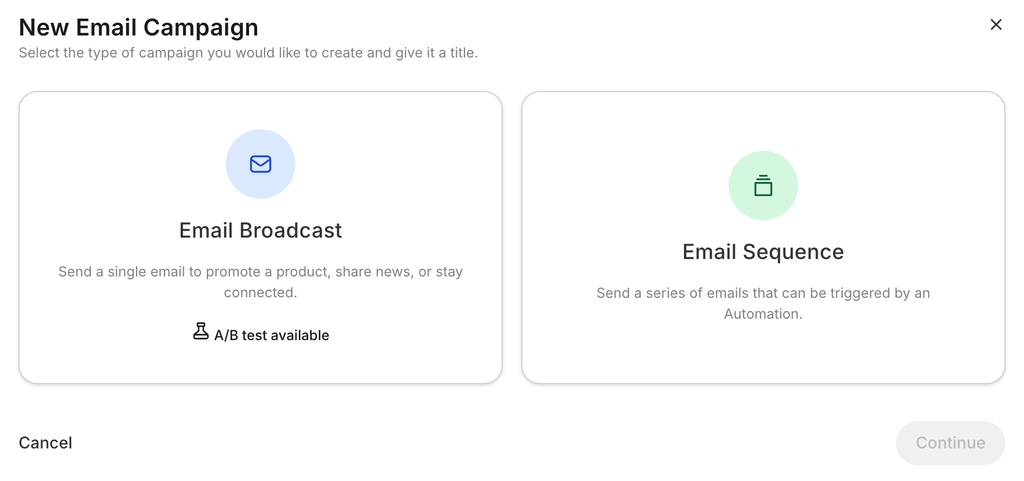
- Email Broadcast: To send a single email campaign to promote a new product, announce discounts, or share news with your audience.
- Email Sequence: This is for sending multiple nurturing emails based on automation rules. For example, send 3 follow-up emails once a user signs up for a newsletter.
- The first email could be welcoming them to the newsletter.
- The second email could be an educational email about my products.
- The third email could send an exclusive discount offer to convert that lead.
Built-in Email Templates
Kajabi comes with pre-made email templates. Means you don’t need to design your emails from scratch. Based on your email goal, you can select a relevant template.
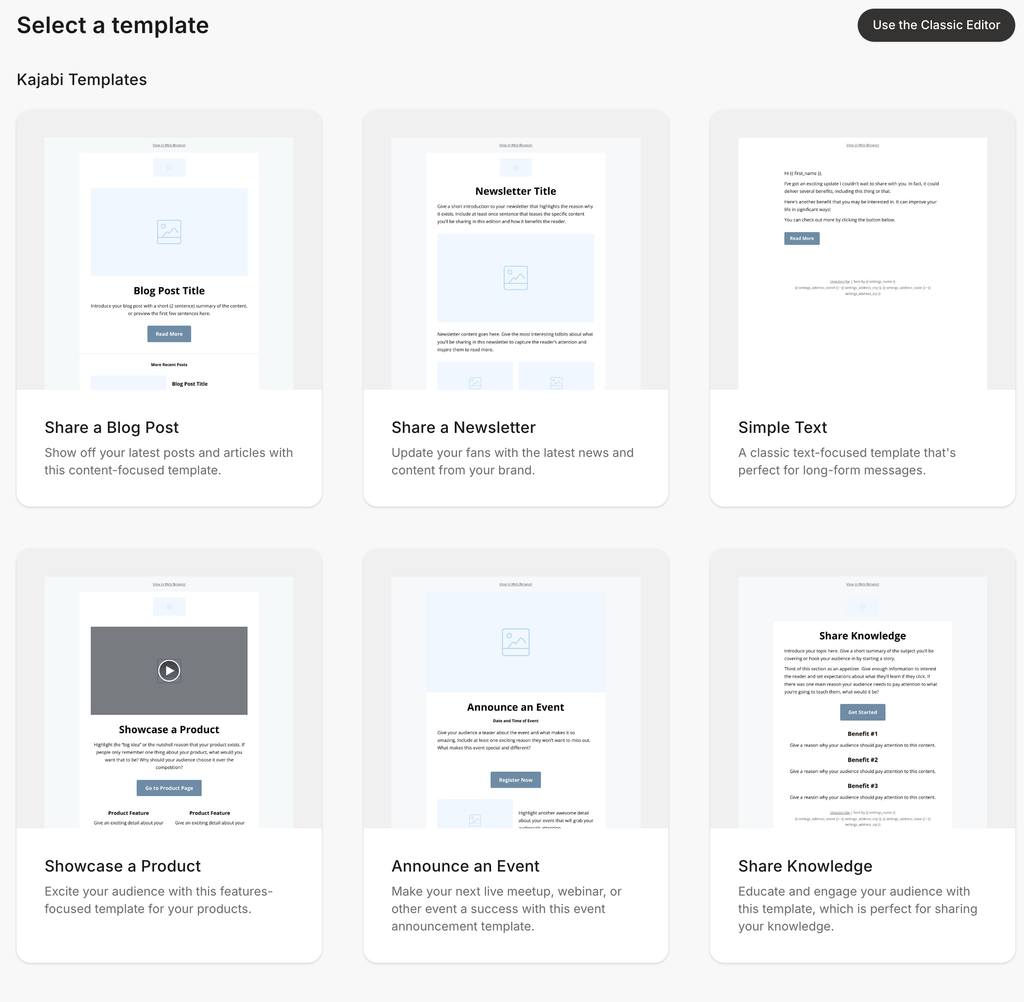
For example, if I’m planning to send an email promoting a new product launch, I can select Kajabi’s “Showcase a product” email template. And if you don’t find a relevant email template or want to build it from scratch, you can also use Kajabi’s classic editor. With Kajabi, you can also mark your emails as a template for future use.
Email Editor
Kajabi’s editor allows you to add, edit, or customize your email sections. Just like the Kajabi website editor, there are pre-made blocks to design your email layout.
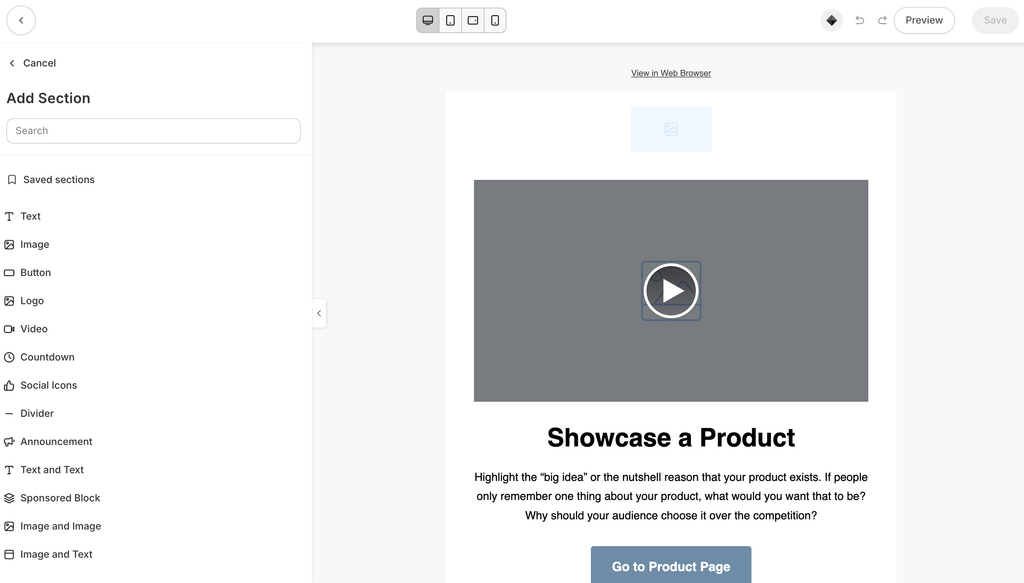
Email Customizations
You can also customize your emails as per your brand, such as adding your contact address and brand logo,
By default, all your marketing emails are sent from the Kajabi email domain. You can customize the sender name, email address, and reply-to-email. You can also set up a custom domain if you’re on a higher plan.
Sending & Scheduling
Kajabi allows you to choose whom you want to send your email campaign to, such as all contacts or custom segments, depending on your marketing strategy. And if you want to schedule your campaigns for later, you can also do that.
Analytics & Reporting
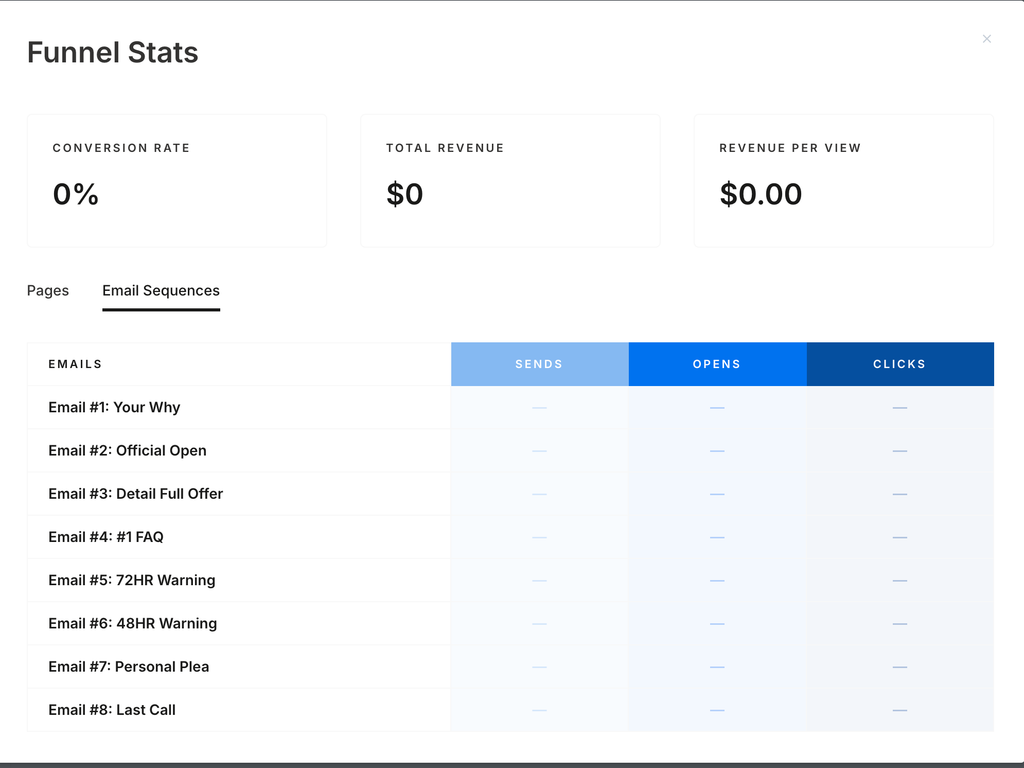
You can view stats for emails, such as total emails sent, email opens, and clicks from each email sequence. This data will help you understand which email sequence is performing well and which is not, and you can shape your marketing strategy accordingly.
A/B Testing
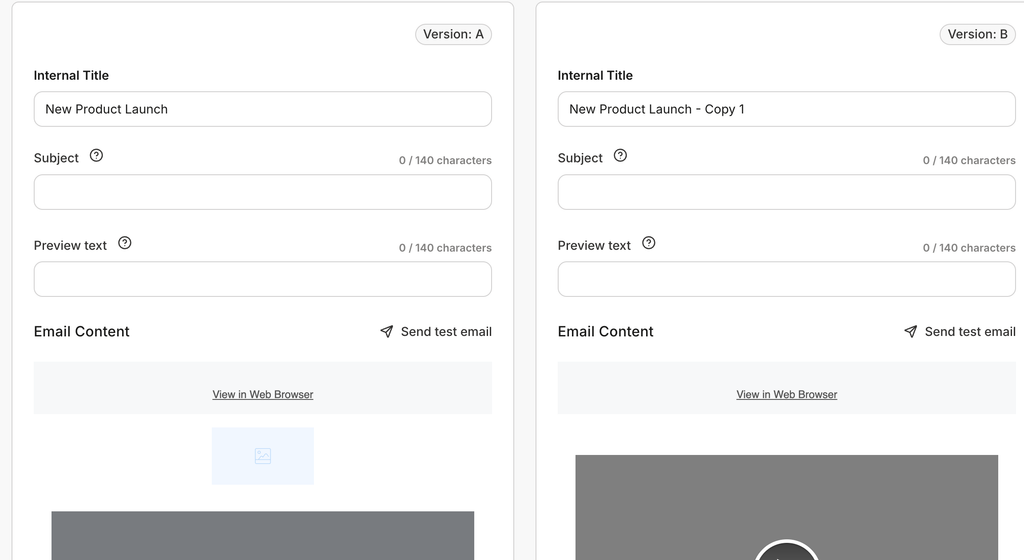
Kajabi not only allows you to A/B test your landing pages, but you can also A/B test your email campaigns. You can test two different email versions to analyze which email type works best.
Universal Inbox
With Kajabi, you can also connect your social accounts, like Instagram and Facebook, to bring all your conversations in one place. This feature is only helpful if you’re actively using social media accounts for business communications.
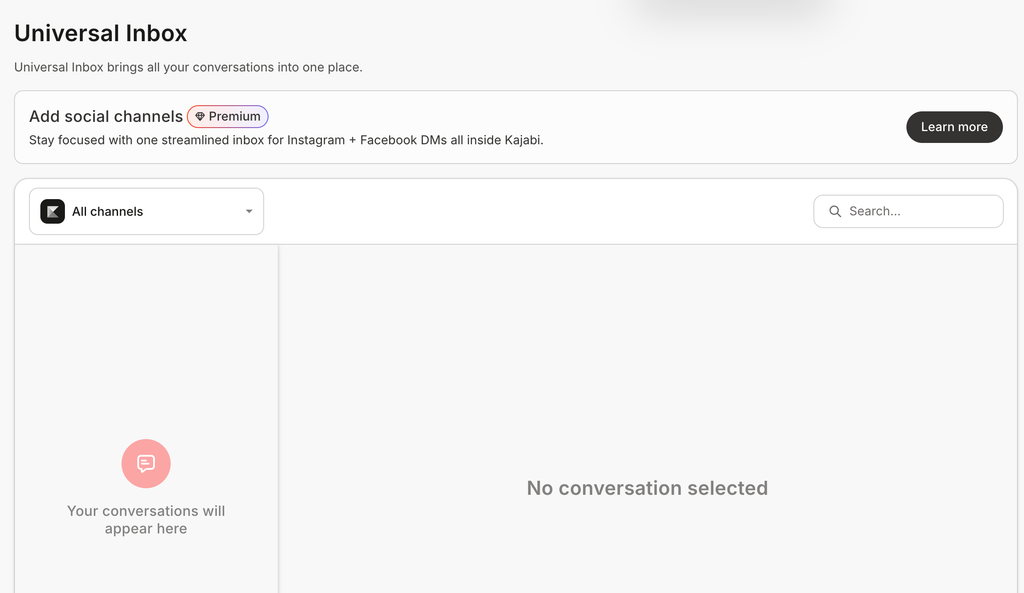
Once connected, you can manage your Instagram and Facebook messages in Kajabi. But this feature is only available in Growth or Pro Plans.
Funnel Builder
Funnels are a set of steps that guide visitors to complete a particular action, such as downloading a lead magnet or signing up for a course. For example, a course sales funnel may look like:
- A landing page where visitors can get all the information about your course with a purchase CTA button.
- The CTA button leads them to the checkout page, where they can complete the purchase.
- From there, they can go to the thank-you page that confirms their order is successful.
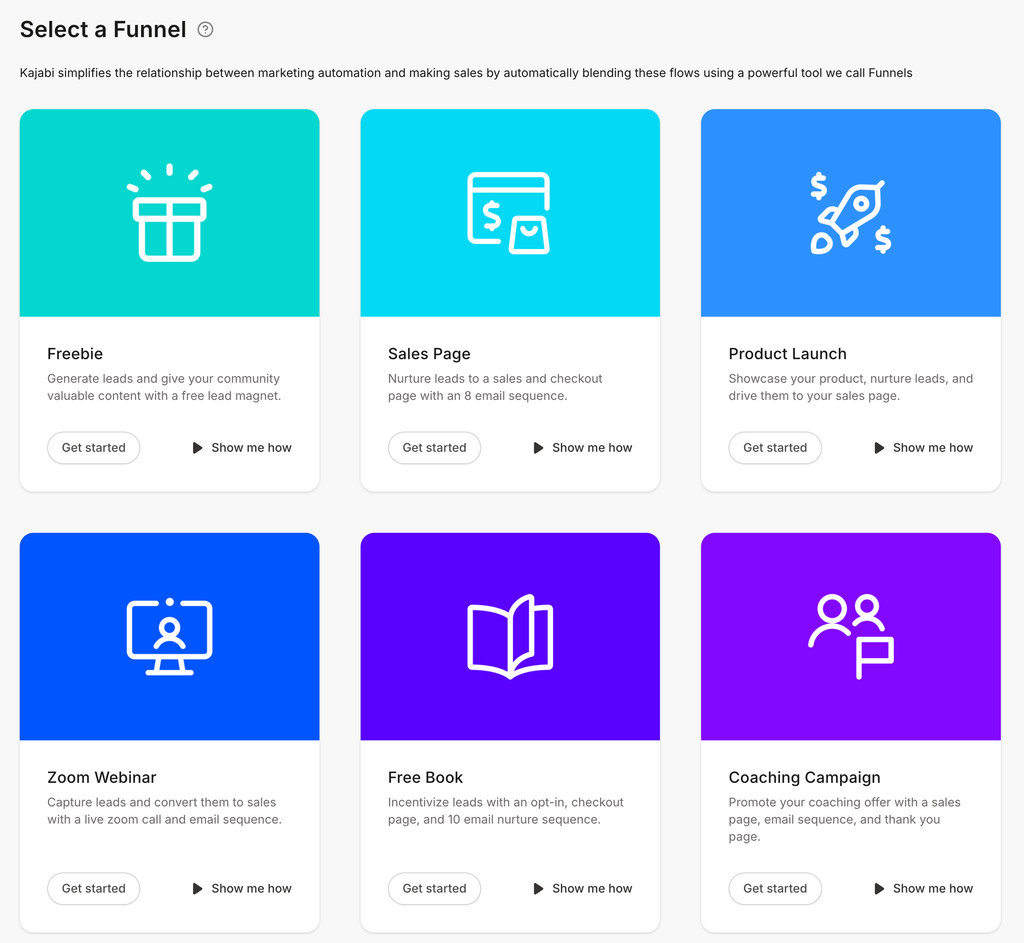
So, this is an example of a purchase sales funnel that guides customers to complete their purchase journey. For building a sales funnel, you need a funnel builder. But with Kajabi, you don’t need another tool, as it comes with a built-in funnel builder.
Pre-made Templates with Automation Workflows
Kajabi comes with pre-made templates to help you easily build and design converting sales funnels. But if you want, you can also create from scratch. The best part is, pre-made templates also include a built-in email sequence to nurture your leads.
Analytics & Reporting
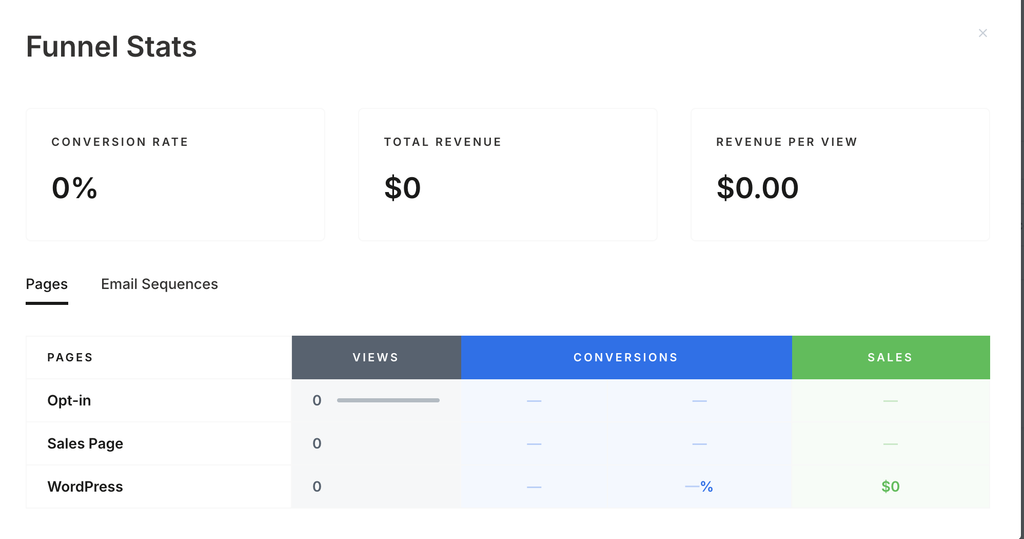
Kajabi funnels also come with an analytics dashboard to see conversion rate, total revenue, and number of views. You can also analyze which page people leave on to figure out what’s working and what’s not.
Events
Kajabi also lets you market your in-person and virtual events. You can choose your time, event dates, duration, and set up a one-time or recurring event.
If you are planning a physical event, you can also add the location address. But if it’s a virtual event, you can include a meeting link and add your event to your calendar on Apple, Google, Office 365, Outlook, and Outlook.com.
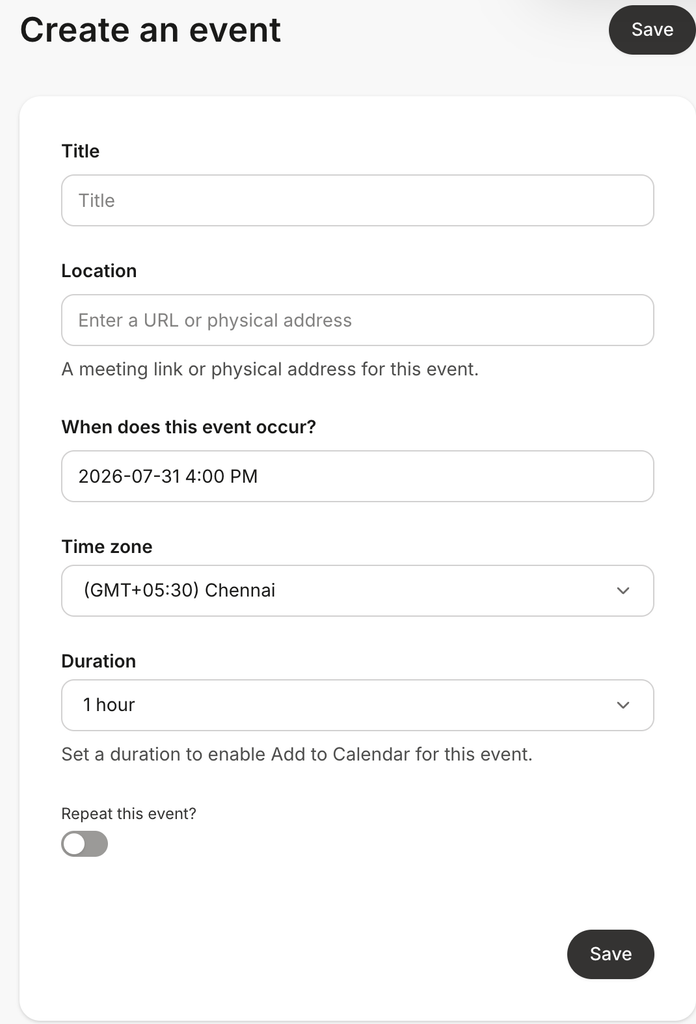
You can also see your event registration data inside Kajabi. Apart from that, you can also create automation workflows for your events to save time on repetitive tasks such as sending event reminder emails.
Automations
When you’re running your digital product business, many repetitive tasks consume a lot of time. But you can automate your manual tasks in Kajabi. If you are on the Basic plan, you can only build basic automations. But with the Growth or Pro plan, you can build advanced automations.
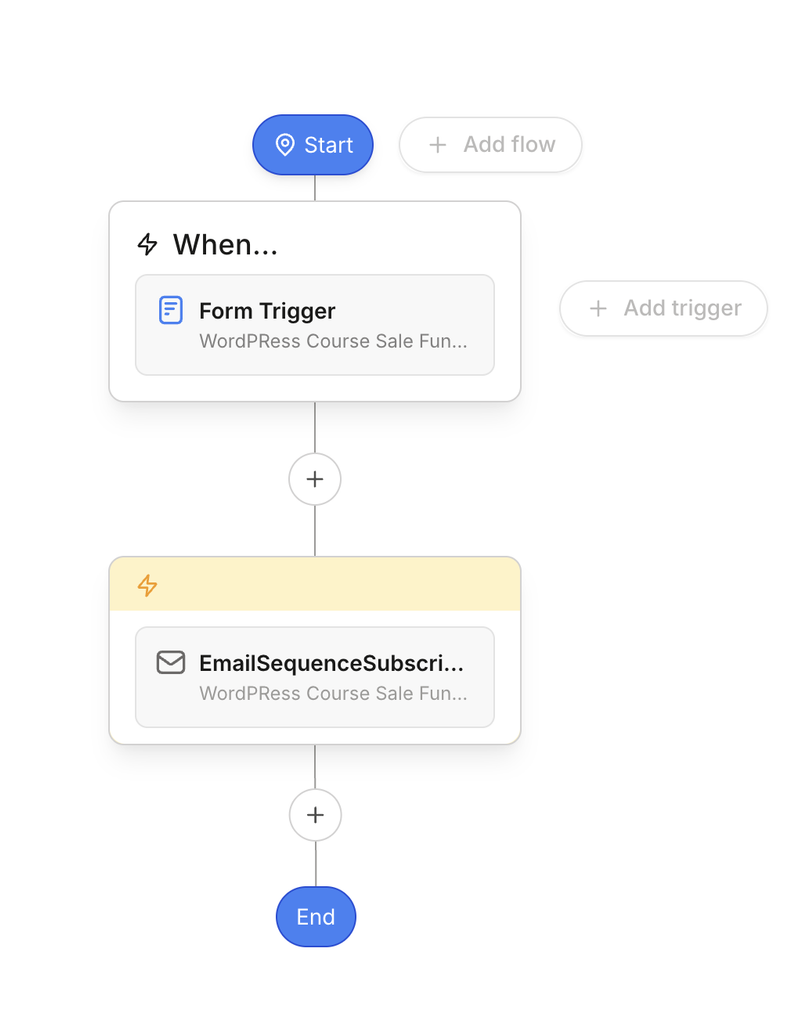
An automation workflow is built of two things: Triggers and actions.
Triggers define when this automation will trigger, and actions define what action to complete. For example, whenever a student completes the course, you can build an automation to send a course certificate automatically instead of doing it manually. This can save a lot of time.
Another example: you can build an automation for funnels to automatically create contacts and add tags whenever someone submits a form.
In Kajabi, you can build automations for your funnels, email campaigns, events, forms, offers, course lessons, and quizzes. In each of these builders, you will get a dedicated automation area. For example, if you’re building a lesson, you have an automation area to build automations for that particular lesson.
Apart from that, there is also a dedicated automation area where you can build, create, and manage all your automations.
The good thing is Kajabi also comes with automation blueprints, which are just like pre-made templates. And you can use them to build your automation workflows instead of creating from scratch.
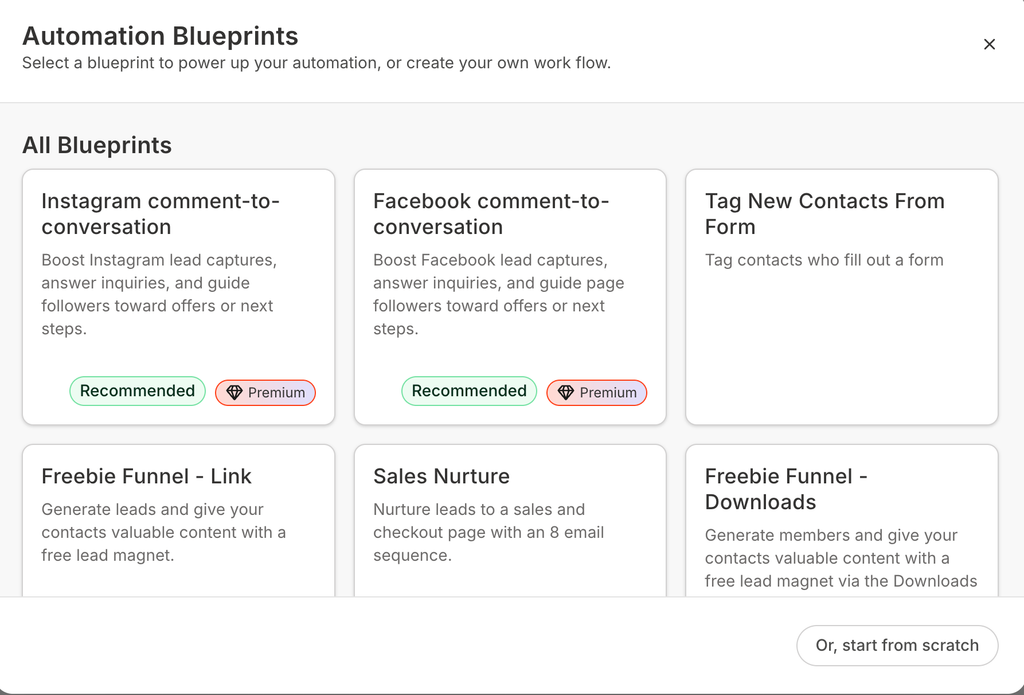
But to be honest, creating automations is not super easy for beginners; you have to invest time to learn marketing automation skills.
4) Sales Features
Now you know how you can build and market your digital products using Kajabi. But the end goal is to generate sales and revenue. So, for this, Kajabi also comes with built-in sales tools.
Payments
Kajabi comes with a built-in payment processor for accepting and managing customer payments, refunds, payouts, and subscriptions. With Kajabi Payments, you can also use digital wallets such as Apple Pay and enable the Buy Now Pay Later Feature.
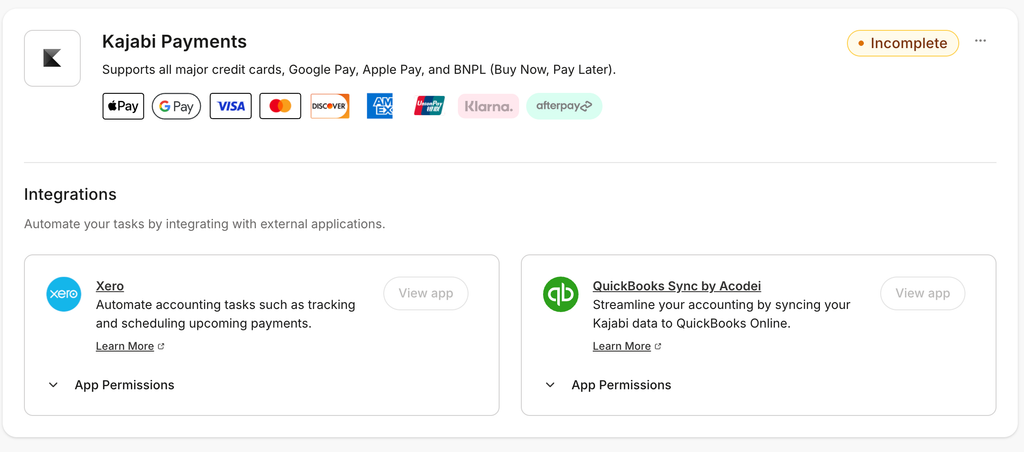
But as of now, Kajabi’s payment processor is available in only a few countries, such as the United States, Canada, Australia, the UAE, the UK, and some selected European countries.
But Kajabi Payments doesn’t support other countries. If you’re from other countries, you still have to use third-party software such as Stripe or PayPal to create and manage your payments.
Upsells and Coupons
You can create multiple types of upsells for your digital products. There are pre-made templates that you can use to build your upsell offer page. And, within your dashboard, you can see gross revenue, conversion rate, and purchases from the upsells.
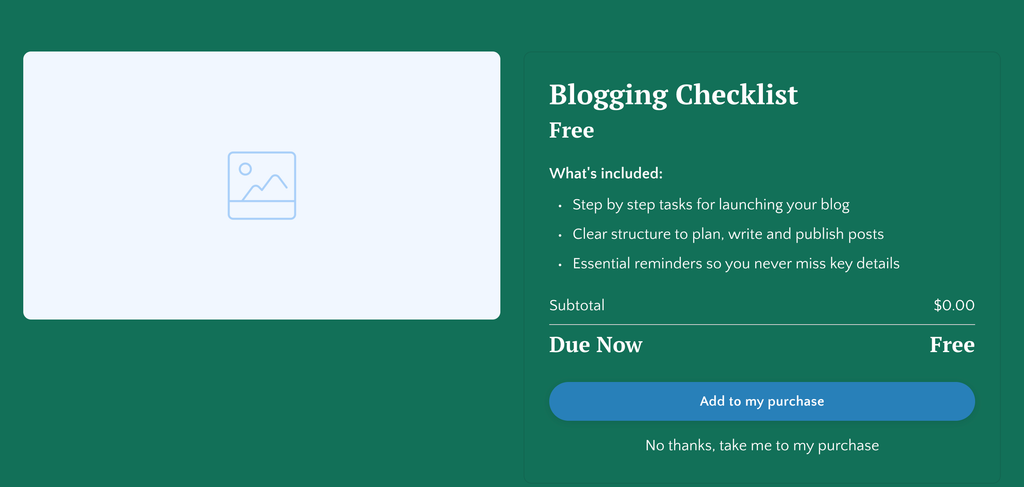
Coupons allow you to offer discounts. This is one of the best promotional marketing strategies that most creators love using and offering to their audience.
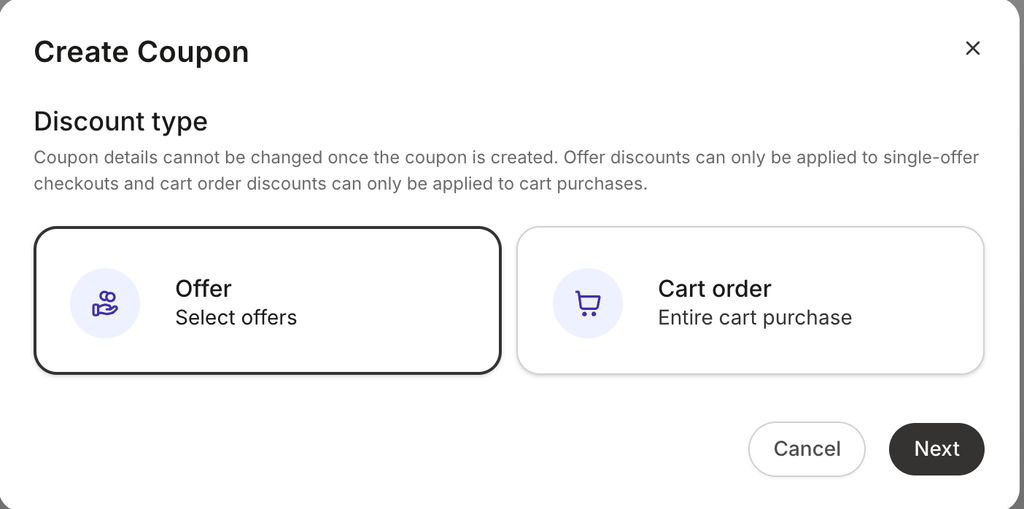
Within Kajabi, you can create both single-use and bulk-code coupons. You can offer a percentage or flat discount and set how long this coupon code will be valid. For example, if you are running promotions for a limited time, then the expiration date is something you need.
You can create coupons for your individual digital products or your entire cart. For example, you might have seen that sometimes when you select multiple items in a cart, you get a discount coupon on your cart.
I have not seen a cart order coupon option in any of the course creation tools that I have tested so far. But with Kajabi, you will get this feature.
Once your coupon is live, you can see how many offers each coupon generated. You can see what type of coupon is working best for your business.
Cart & Checkouts
With Kajabi, you will get pre-built cart and checkout pages for selling your digital products. There are not many customization options for your cart and checkout pages, but you can customize a few things.
For example, you can select which payment methods you want to show on your checkout pages. You can customize form fields on your checkout page. Email address is a required field, but you can also include a name, phone number, or address field.
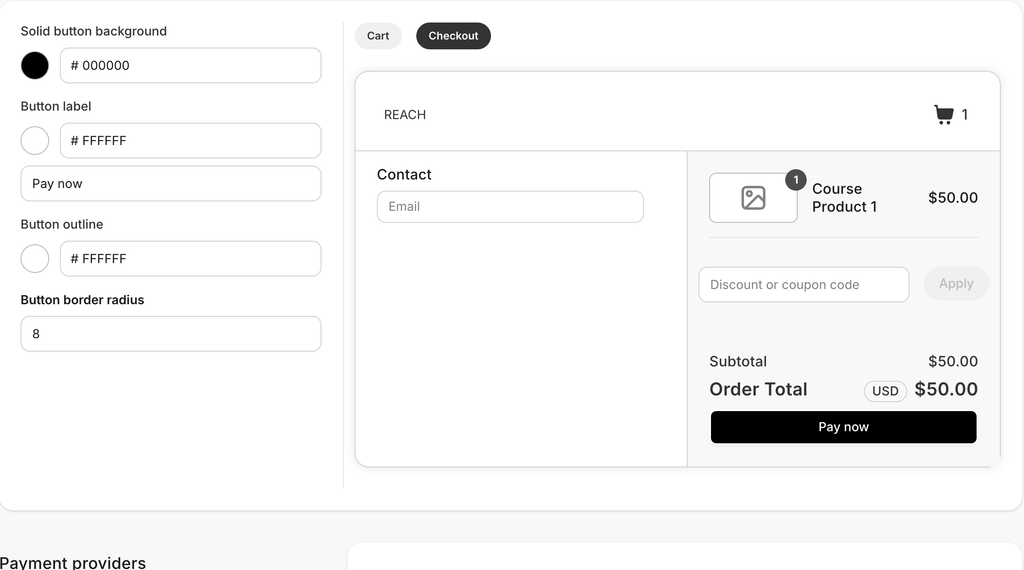
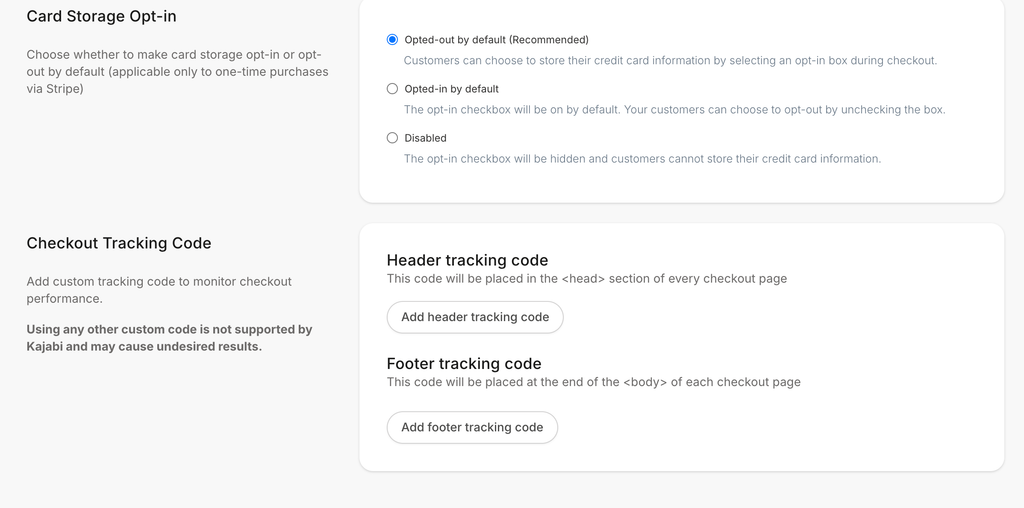
Additionally, you can enable an email-opt-in option, a card information storage option, and allow your customer to consent to the terms and conditions.
No doubt, in Kajabi you can see purchase and sales data. But if you want to track data in GA4 or paid ads platforms, then you need to install tracking codes. And Kajabi allows you to set tracking codes for your checkout pages.
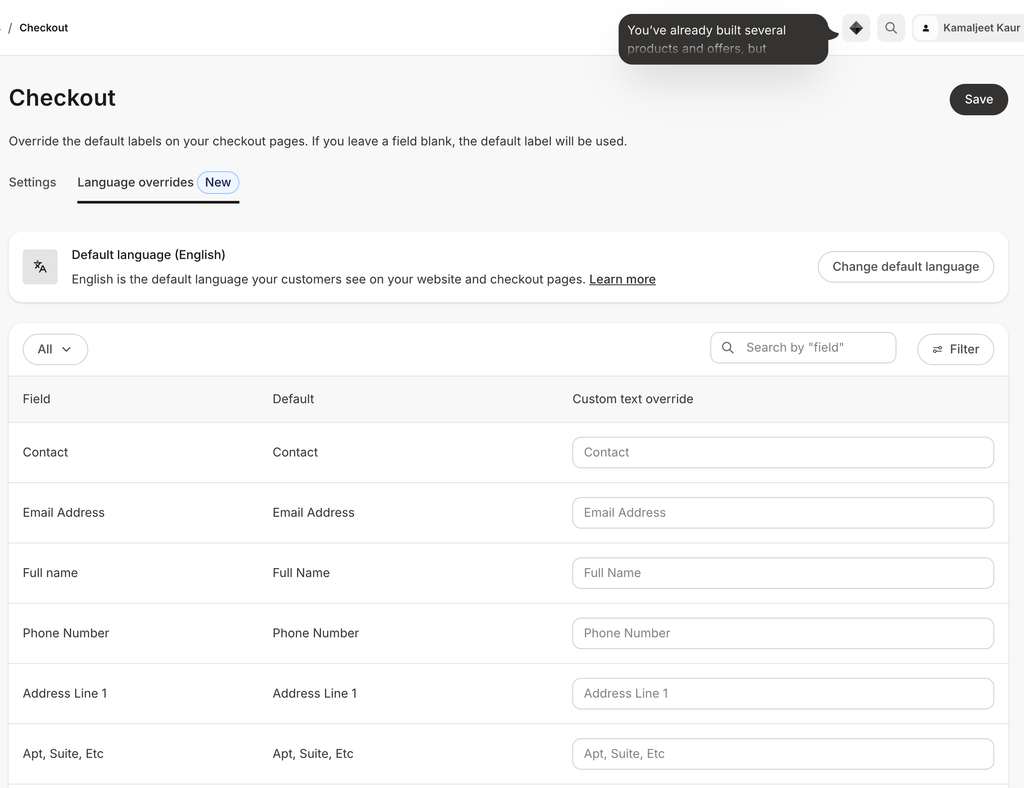
Apart from that, you can also override your checkout language to add your branding touch. For example, by default, the email address is the email address. But you can change it to something else, like Email ID, or something more unique to your business.
Affiliate Program
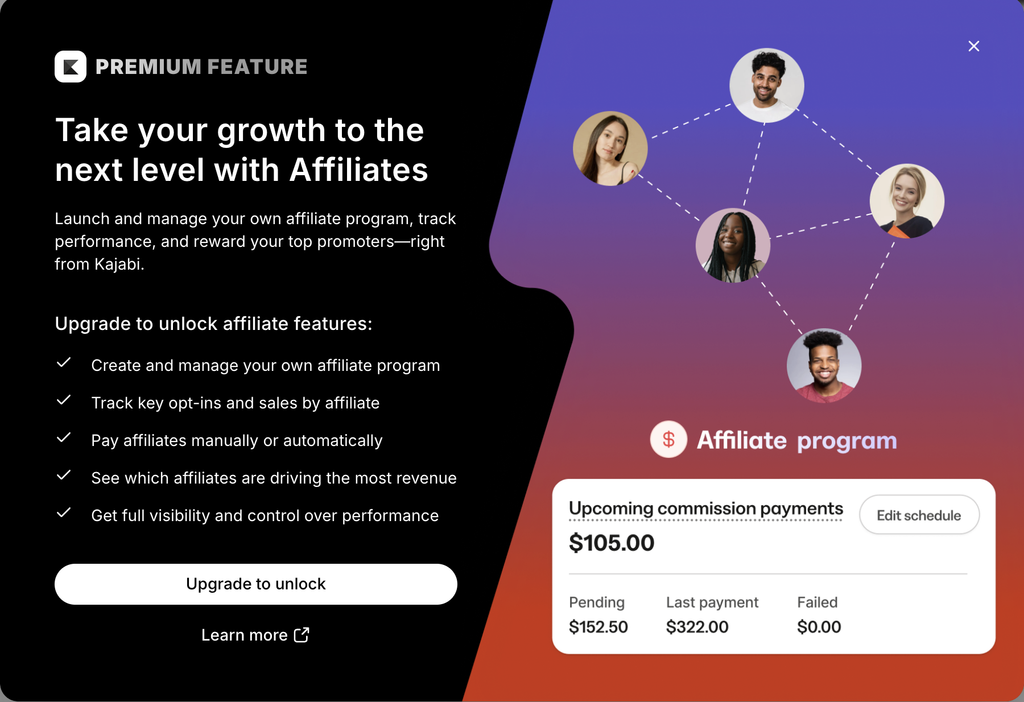
With Kajabi, you can also launch and manage your own Affiliate program for your digital products. But it’s only available in the Growth and Pro plans. Kajabi also comes with a dedicated affiliate dashboard to see which Affiliates are bringing in the most revenue.
Third-Party Integrations
Well, Kajabi is an all-in-one platform that comes with built-in website, marketing, sales, and payment processing tools. But you can still integrate your Kajabi account with third-party tools such as AWeber, Drip, ActiveCampaign, Mailchimp, and ConvertKit for more advanced email marketing features.
You can also integrate other tools such as Segment, Google Analytics, Facebook Pixel, Zapier, and PayPal.
Kajabi Plans & Pricing Review
Kajabi offers three plans: Basic, Growth, and Pro. Before we discuss the plans, you should first understand transaction fees and usage limits.
Transaction Fee
When you buy an online course creation platform, there are usually two types of fees: Platform and Card processing fees.
Card processing fees are standard, and you have to pay for every online transaction. But apart from card processing fees, some platforms also charge a platform fee on every transaction. But the good thing is Kajabi does not charge any platform transaction fees, even on the starter plan. But you still have to pay the card processing fee, which is standard on every online transaction.
For example, if you’re using Kajabi payments, the card processing fees are 2.9% plus $0.30 in the USA. If you’re using a third-party payment provider, the card processing fee will be 2% on the Basic plan. For more details, check their pricing page to see their card processing fees for each plan.
Usage limits
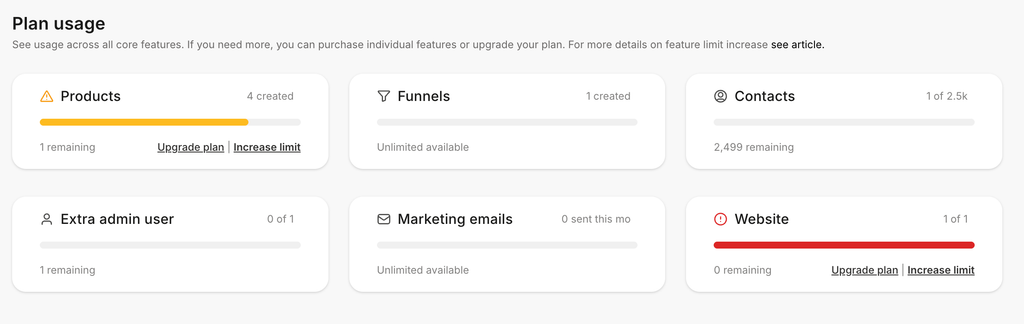
There are limits on products, contacts, website, community, and admin user features based on the plan you choose. But Kajabi does not have any limits on marketing emails, landing pages, funnels, and access groups. Here is a quick comparison table.
| Starter | Growth | Pro | |
| Platform Transaction fees | N/a | N/a | N/a |
| Card Processing fee | Yes | Yes | Yes |
| Products | 5 | 50 | Unlimited |
| Admins | 2 | 11 | 26 |
| Contacts | 2500 | 25000 | 100,000 |
| Pricing | $179/mo $143/mo (Billed annually) | $249/mo $199/mo(Billed annually) | $499/mo $399/mo(Billed annually) |
| Website | 1 | 1 | 3 |
| Community | 1 | 1 | 3 |
| AI Credits | 0 | 500 | 1000 |
| Cohort-based Courses | ❌ | ✅ | ✅ |
| Branded Mobile App | ❌ | ❌ | ✅ |
| Affiliate program | ❌ | ✅ | ✅ |
| Webhooks | ❌ | ✅ | ✅ |
Kajabi Plans Breakdown
Basic Plan
The Basic plan is for beginners; you can create up to 5 products, and there is a limit of 2,500 contacts. You can create one website, one community, and add up to two admin users. The Basic plan costs $179/month, but $143/month if you pay annually.
But on the Basic plan, you will not have features such as AI credits, coherent-based courses, an affiliate program, or the option to remove Kajabi branding.
The Growth plan
Growth plan is for those who are already running a digital product business, selling multiple digital products, and generating revenue. You can create 50 products, and this plan costs $249/month. You can create 1 website, 1 community, add 11 admin users, and 25,000 contacts are allowed in this plan. t
Pro Plan
It costs $499 per month, and if you choose to pay annually, it will cost you $399 per month. In this plan, you can create unlimited products, and you can create 3 websites, 3 communities, and 26 admin users.
Kajabi Pros & Cons
Kajabi Pros: What I liked Most?
1) Supports Multiple Digital Products
What I like most about Kajabi is that you can create all the famous digital products for your digital product business, such as courses, coaching communities, memberships, podcasts, or newsletters. On top of that, you can create unlimited downloads because each download counts as one product.
2) Ease of Use
Overall, the platform is super easy, and everything is properly organized. I also like that, whatever product you are creating, you will get a step-by-step setup wizard to help you easily set up your digital products. There are also pre-made templates, which you can use to save time.
There is also a help center and an AI chat support option available to support. The AI chatbot will not just guide you through text-based answers. It will also provide screenshots to help you navigate the platform easily.
3) Single Platform
The most important thing is that it allows you to create, market, and sell your digital products. If you’re just looking for one tool to handle your entire business, then Kajabi can be worth exploring. With Kajabi, you will get all those features inside one platform, and you don’t need to manage multiple platforms.
4) Offers a Free Trial
Kajabi offers a 14-day free trial, and you just need to enter your credit card details. With a free trial, you can test Kajabi features. If you’re not satisfied, you can cancel your free trial before the trial ends. And if you enjoyed using Kajabi, you can continue after the free trial.
5) No Platform Fees
Another thing that I liked most is that Kajabi doesn’t cut any platform fees from your revenue. Some platforms, when you earn revenue, cut their platform fees on every sale on top of card processing fees. But in Kajabi, there are no platform fees. But like any platform, there are card processing fees, which are standard for online transactions.
The good thing is Kajabi clearly mentions the card processing fee. For this, you can visit the pricing page and see their card processing fees.
Cons
1) Learning Curve For Advanced Features
No doubt Kajabi is easy to use. But it also comes with marketing automation features that help you automate repetitive manual tasks, and that part involves a learning curve. Kajabi even comes with built-in automation templates, but you still need to learn how to set up automations. Or you can hire an automation expert to set up automation for you.
2) Limits on Lower Plans
As we discussed earlier, every Kajabi plan comes with limits, such as how many products you can create and which features you get. If you’re on the basic plan, then you can only create 5 products. With this plan, you will not get features such as cohort-based courses, AI credits, or an affiliate program, and if you need those features, you need to choose a higher plan to get started with Kajabi.
3) Not Self-hosted
Kajabi is not a self-hosted platform, which means your Kajabi site and data will be hosted on Kajabi servers, and you don’t own the platform. On the other hand, if you build your website on a self-hosted platform like WordPress, you have full ownership and can add plugins to include more customization.
Is Kajabi Worth It?
Now the final and most important question comes: Is Kajabi worth it?
Well, it depends upon your specific requirements; decide whether it’s worth it. If you are looking for an all-in-one platform and don’t want to use multiple individual platforms, then Kajabi is worth it. You can start with $179 per month. Even if you pay annually, the same plan will cost you $143 per month. You don’t need to buy another hosting provider, different marketing, and sales tools.
With a single investment, you will get every tool you need to build and grow your digital product business. And you don’t need to worry about managing and integrating different individual tools to run your business smoothly.
On the other hand, if you’re just looking for a course or digital product creation platform and you already have a website on a self-hosted platform such as WordPress. Then, Kajabi might be expensive for you. Because in that case, you may already be paying for a hosting provider or individual marketing or sales platforms.
So, in a nutshell, Kajabi is the best if you’re looking for a single tool to create, market, and sell your digital product business with a single subscription.
On the other hand, if you just need a platform for course creation or other digital product creation, and you are already paying for website hosting somewhere else and want to use individual marketing and sales platforms, then Kajabi can be expensive. In that case, you can go for more affordable course creation platforms such as Teachable.